
How to Complete Identity Verification (KYC) for Foreign Nationals

How to Complete Identity Verification (KYC) for Foreign Nationals
Where can I get my account verified on the BINANCE TH Website and App?
Important eligibility notice: Effective [13 July 2026], Binance TH is no longer accepting identity verification (KYC) applications from nationals of Myanmar. If you hold Myanmar nationality, you will be unable to complete verification at this time. For further assistance, please contact Binance TH Customer Support.
You can access identity verification from
On the Website
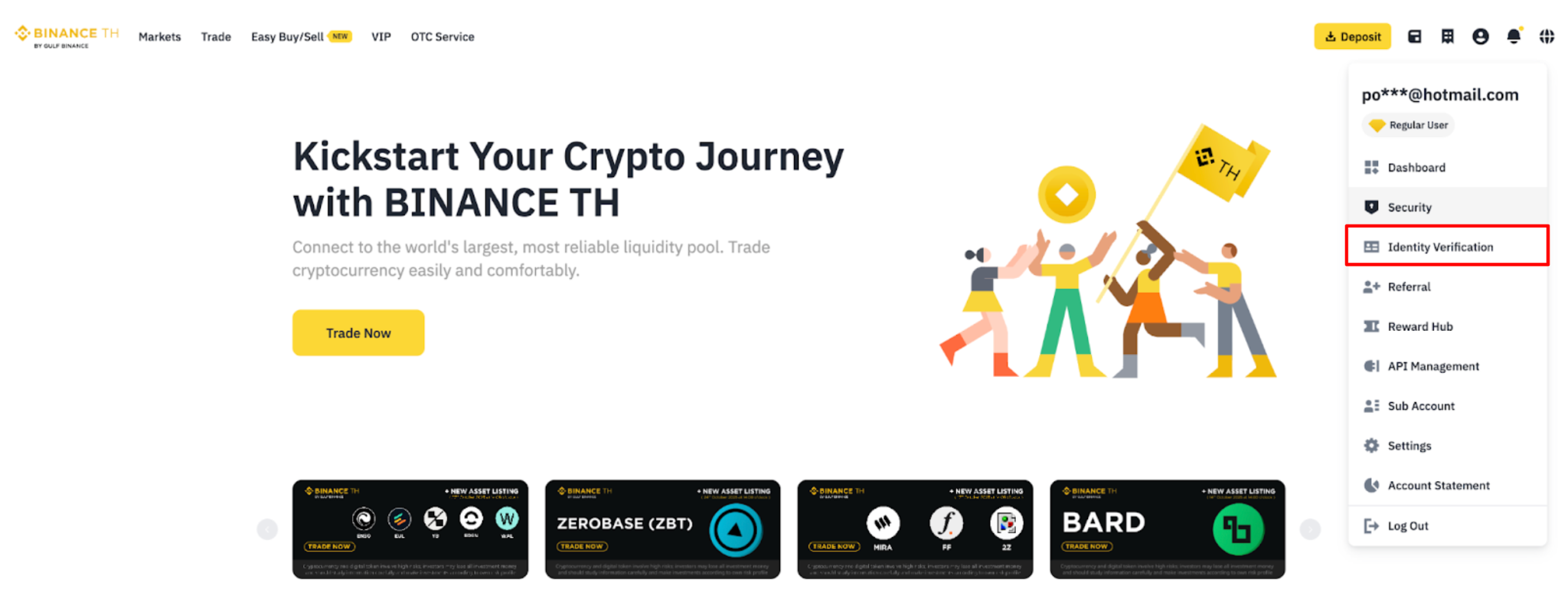
Log in to your BINANCE TH account and click on [Profile] and then [Identification].
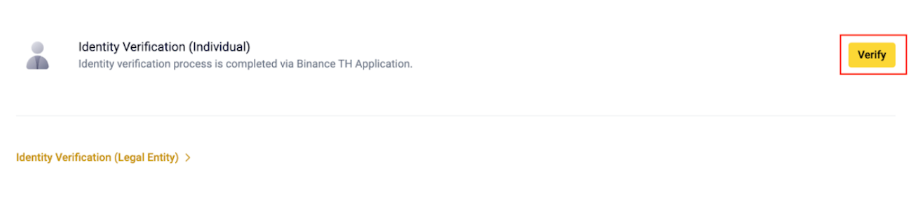
Click on the [Verify]
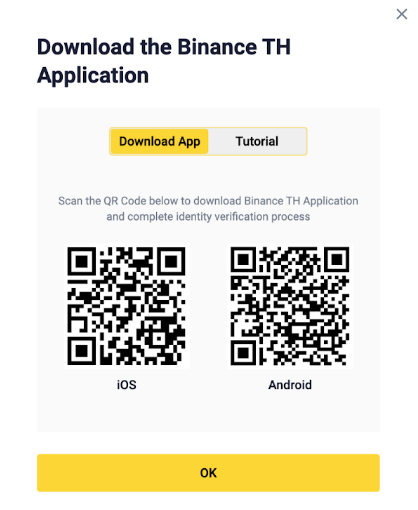
Alternatively, you can scan the QR Code to download the BINANCE TH Application and complete KYC verification in the app via the pop-up window.
On the Application
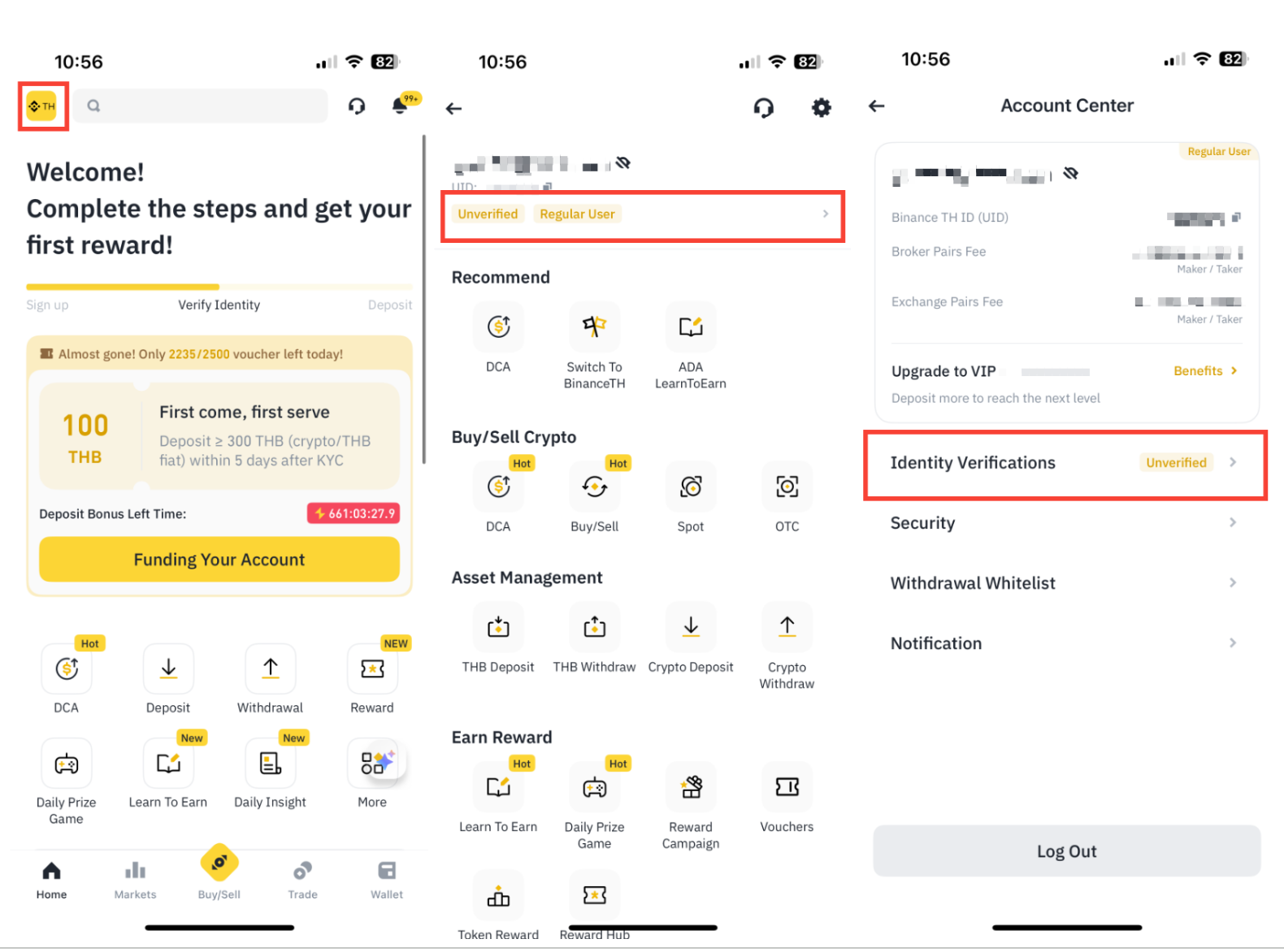
Log in to your Binance TH account and click [Profile], click [Unverified], Identity Verification [Continue]
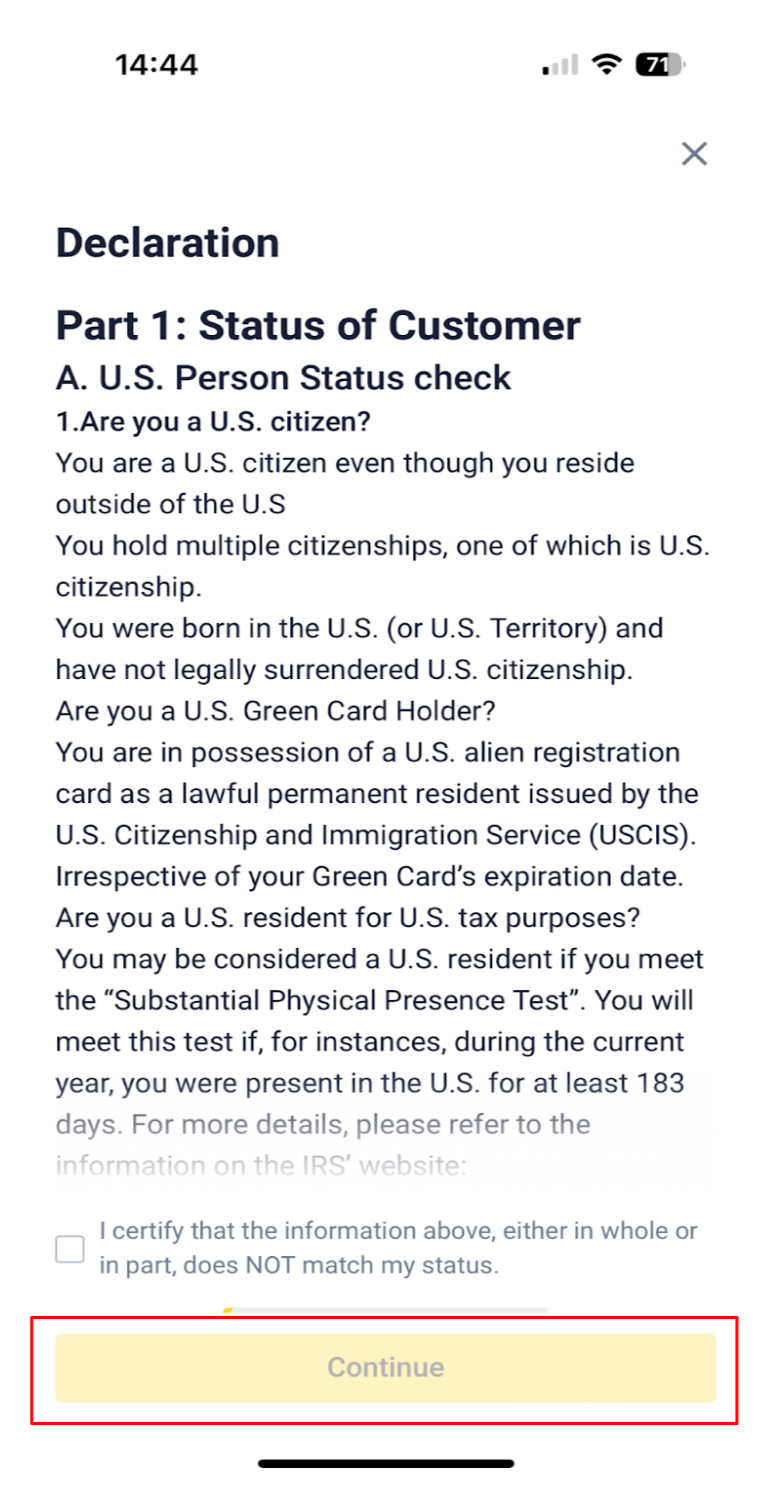
2. After verifying and declaring your status as a U.S. or non-U.S. person, click [Continue] and check the Declaration status box.
3. Select your nationality and specify if you are a resident of Thailand then click [Continue]
Note: Myanmar nationals are currently not eligible for verification on Binance TH. If you select Myanmar as your nationality, you will not be able to proceed.
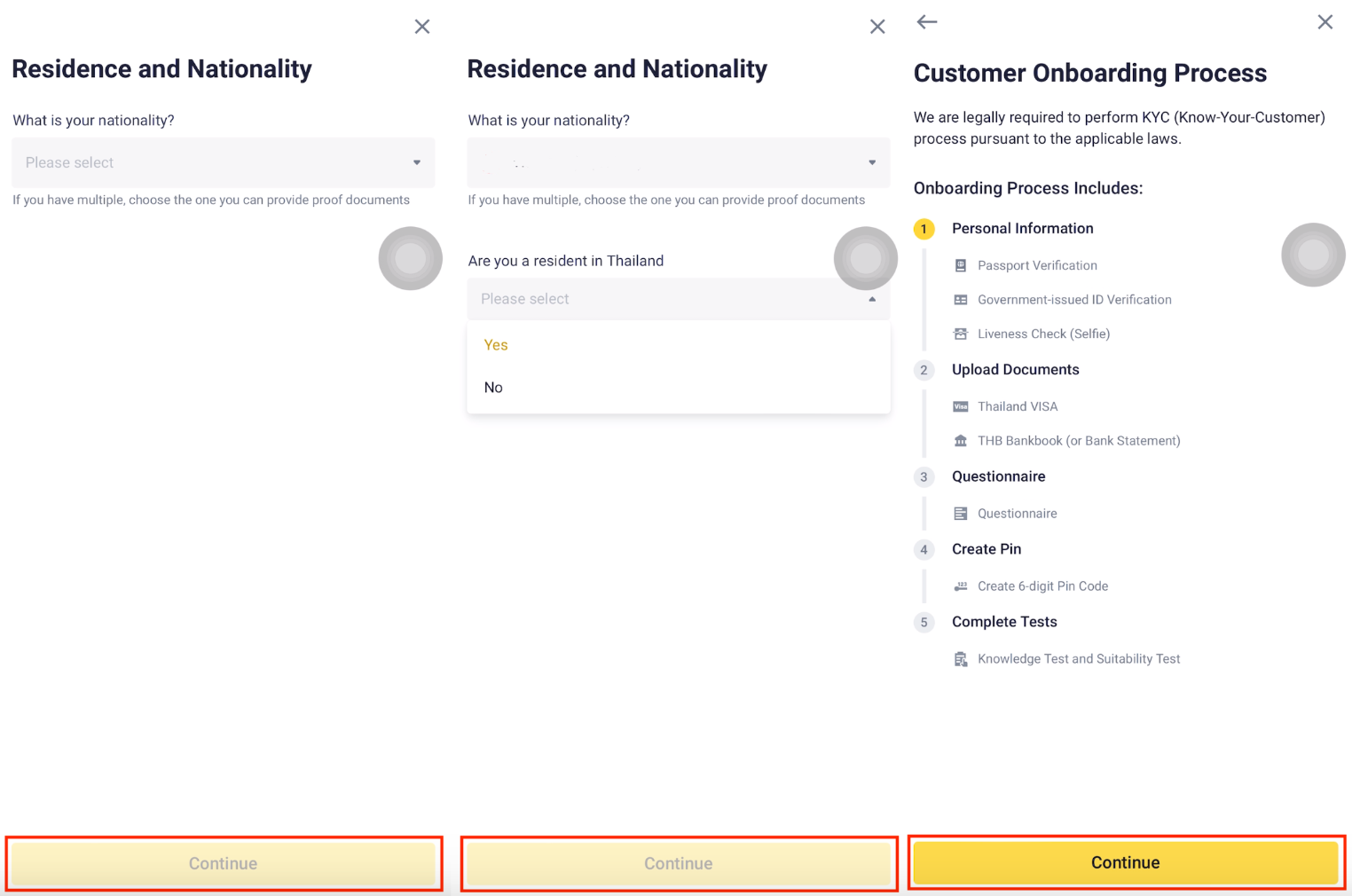
4. Enter your personal information:
4.1 After entering your personal information, the system will prompt you to complete a liveness check. Center your face in the frame and follow the instructions to finish the process. Ensure your entire face is clearly visible, centered, and your eyes are open. Avoid wearing hats, glasses, or using filters, and ensure there is adequate lighting.
4.2 After uploading your passport and ID document (with at least 3 months of remaining validity) What is the Second Document?, the system will redirect you to complete a liveness check. Center your face in the frame and follow the prompts. Make sure your full face is clearly visible, your eyes are open, and you're not wearing hats, glasses, or using filters. Ensure good lighting.
* Do not close or refresh the application during this process.
* The system will take approximately 2 minutes to review your documents.
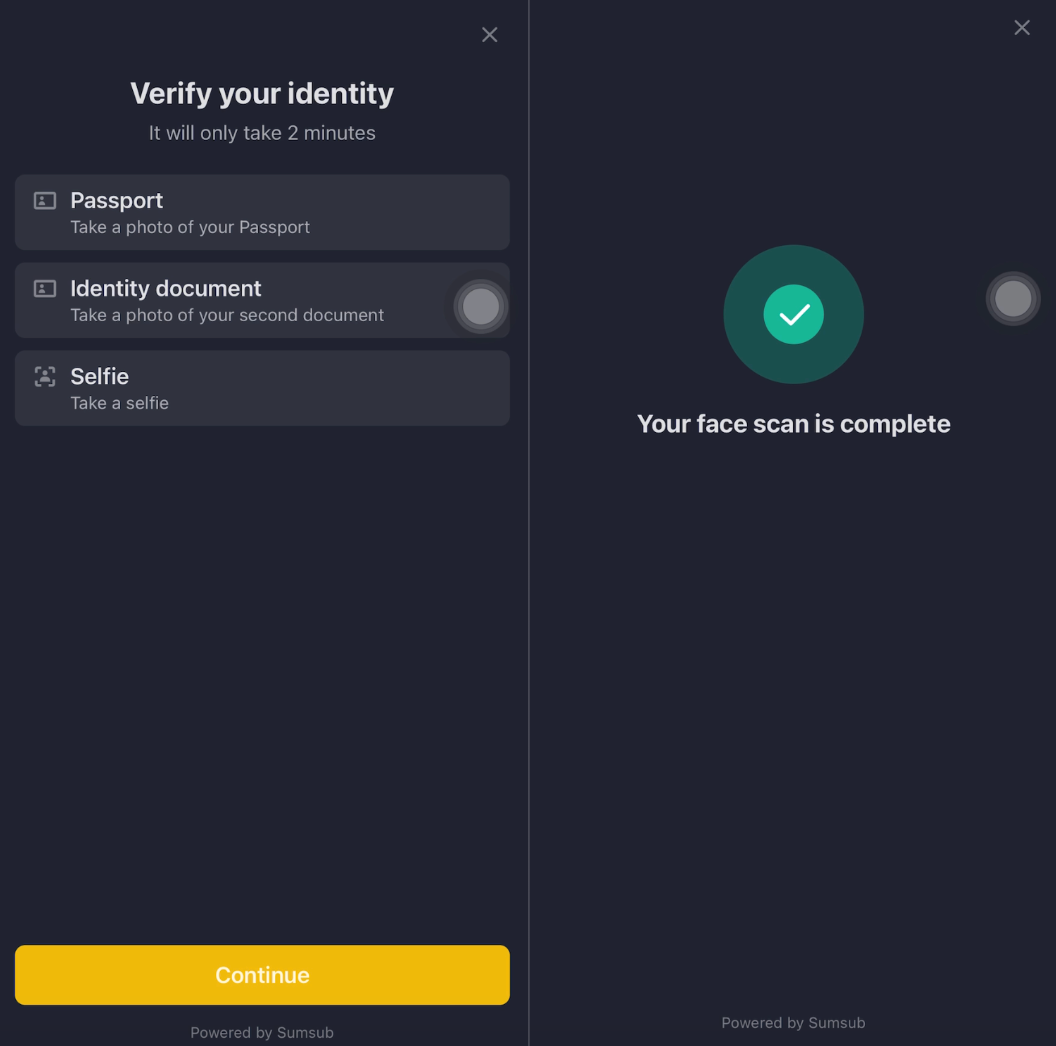
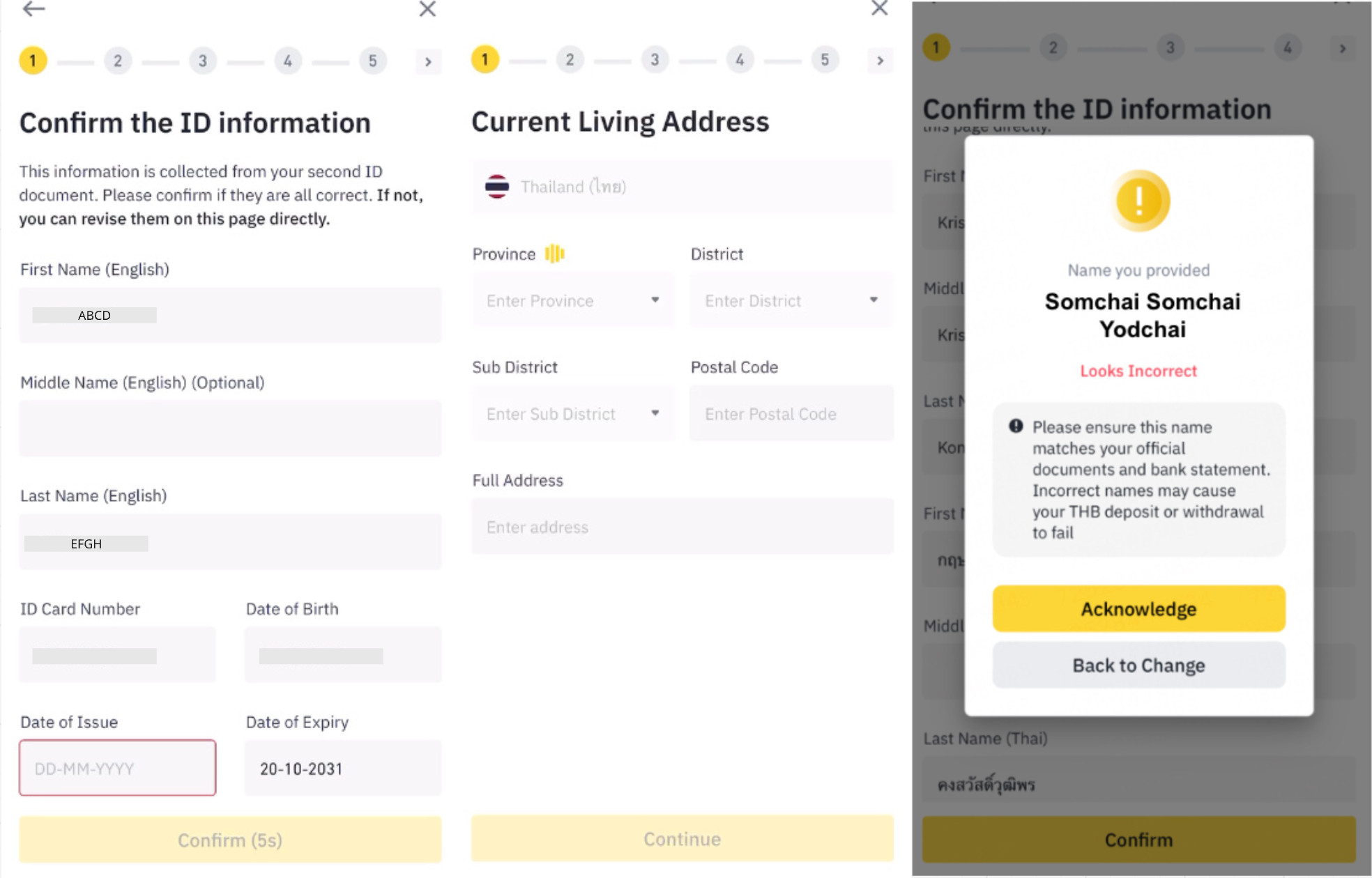
4.3 Once the liveness check is complete, the system will process your documents for a few minutes. Then, a pop-up window will appear showing the extracted information from your passport and ID Card.
**Importance; You must double-check all the information carefully.
If anything is incorrect, please go back and correct it before clicking [Confirm]
Failing to do so may result in issues later when attempting fiat deposits or withdrawals.
Enter your work address information: Provide the country, district, sub district, full address, and click [Continue].
Note : If the system detects that your first name, middle name, or lastname is duplicated, a notification will appear asking you to double-check your information. You can click [Acknowledged] to continue or click [Back to Change] to edit your information.
5. You are required to upload a valid Thailand visa and a supporting visa document, both with at least 3 months of remaining validity
Accepted visa types and supporting visa document [Visa Types Accepted (Foreign Nationals)]
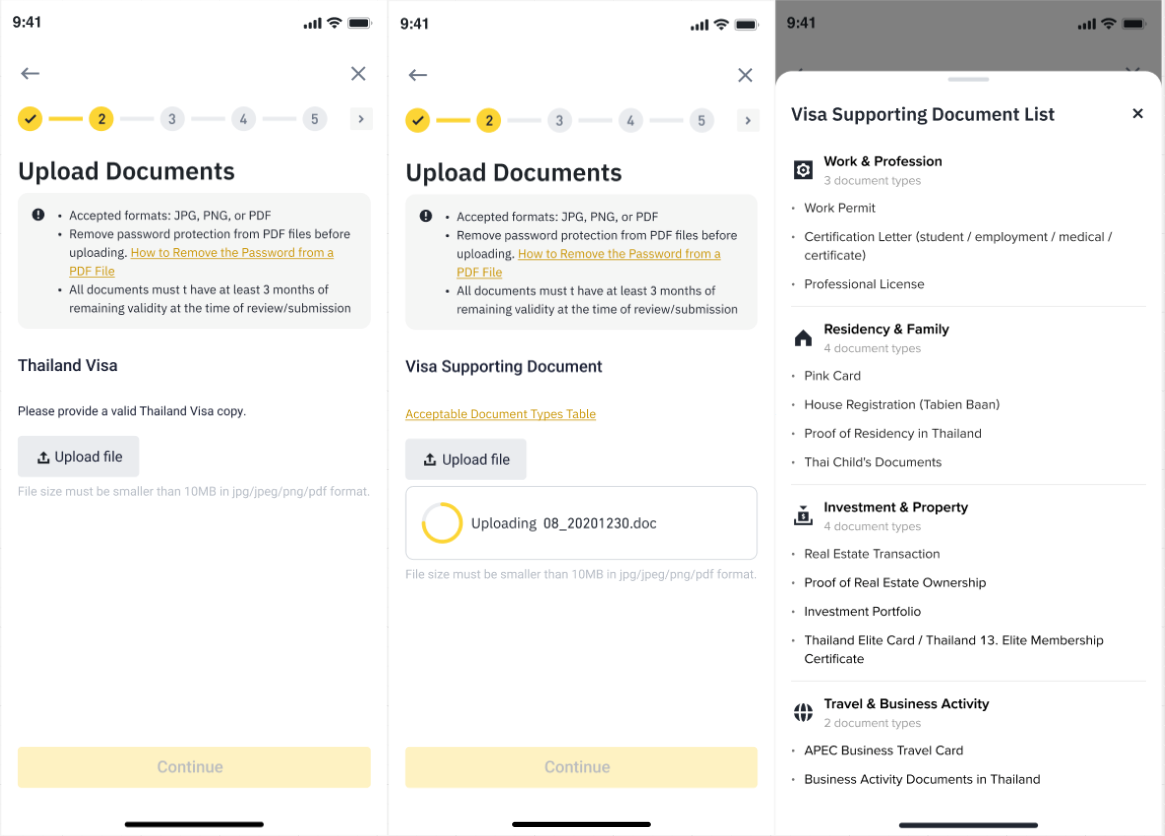
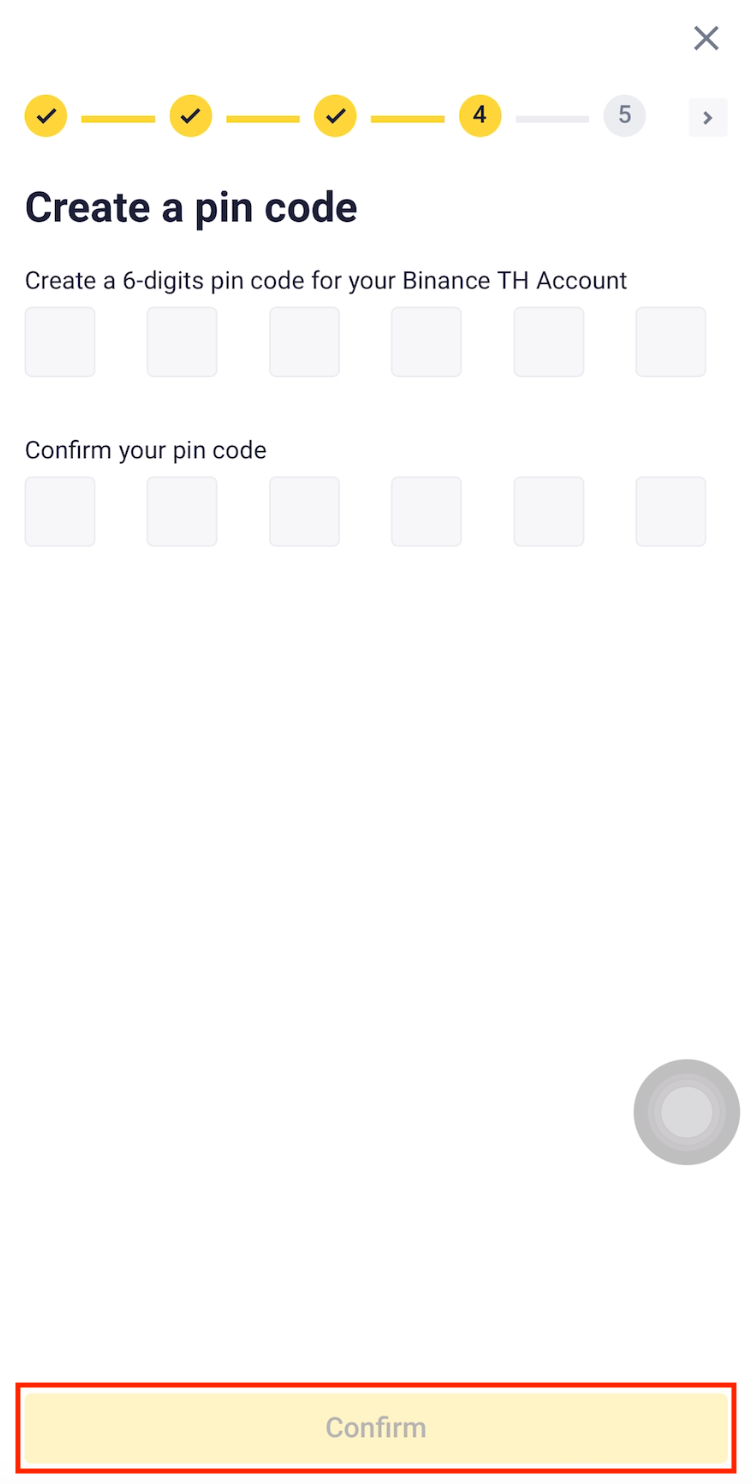
6. Create your Pin Code and click [Confirm]
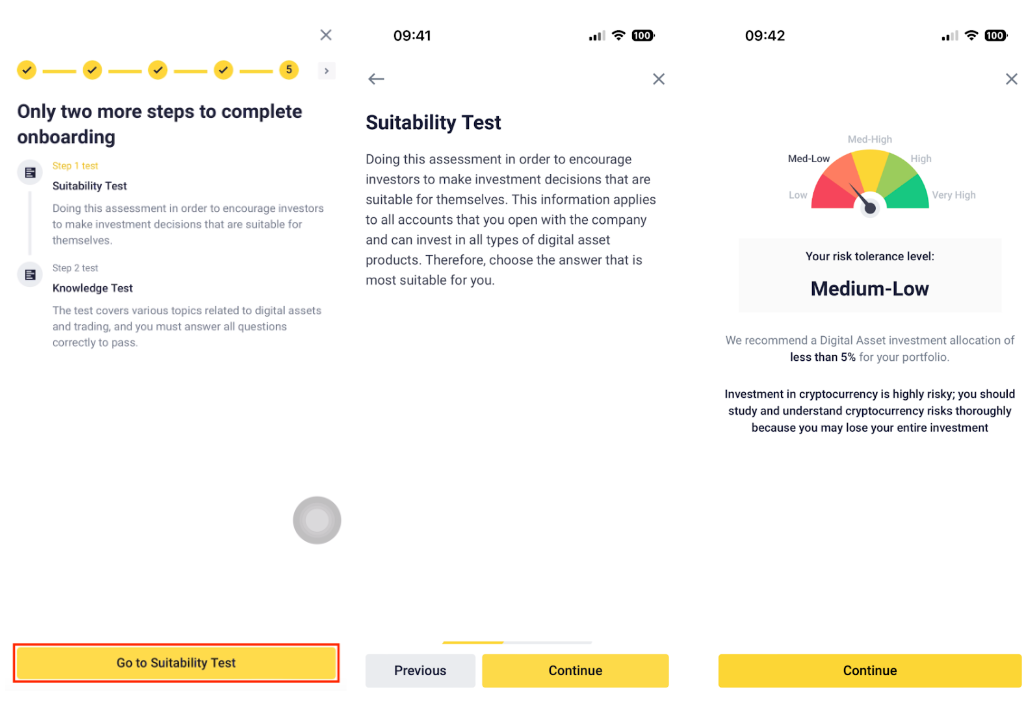
7. Next, complete onboarding testing process; Suitability Test and Knowledge Test
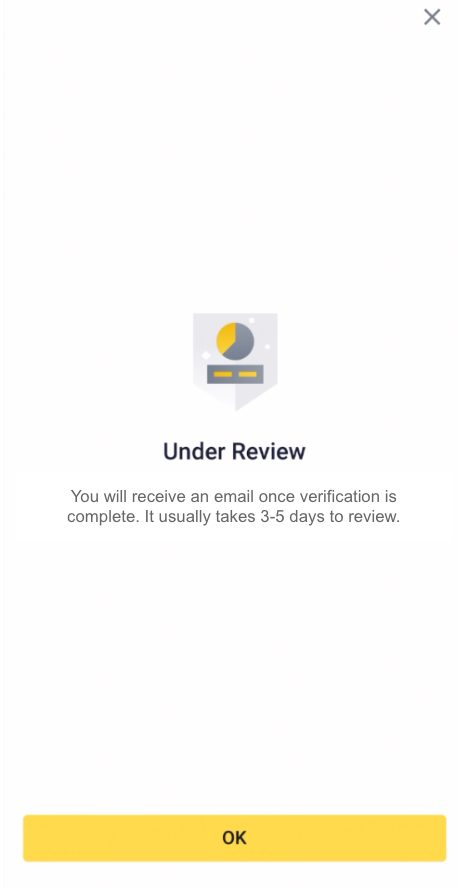
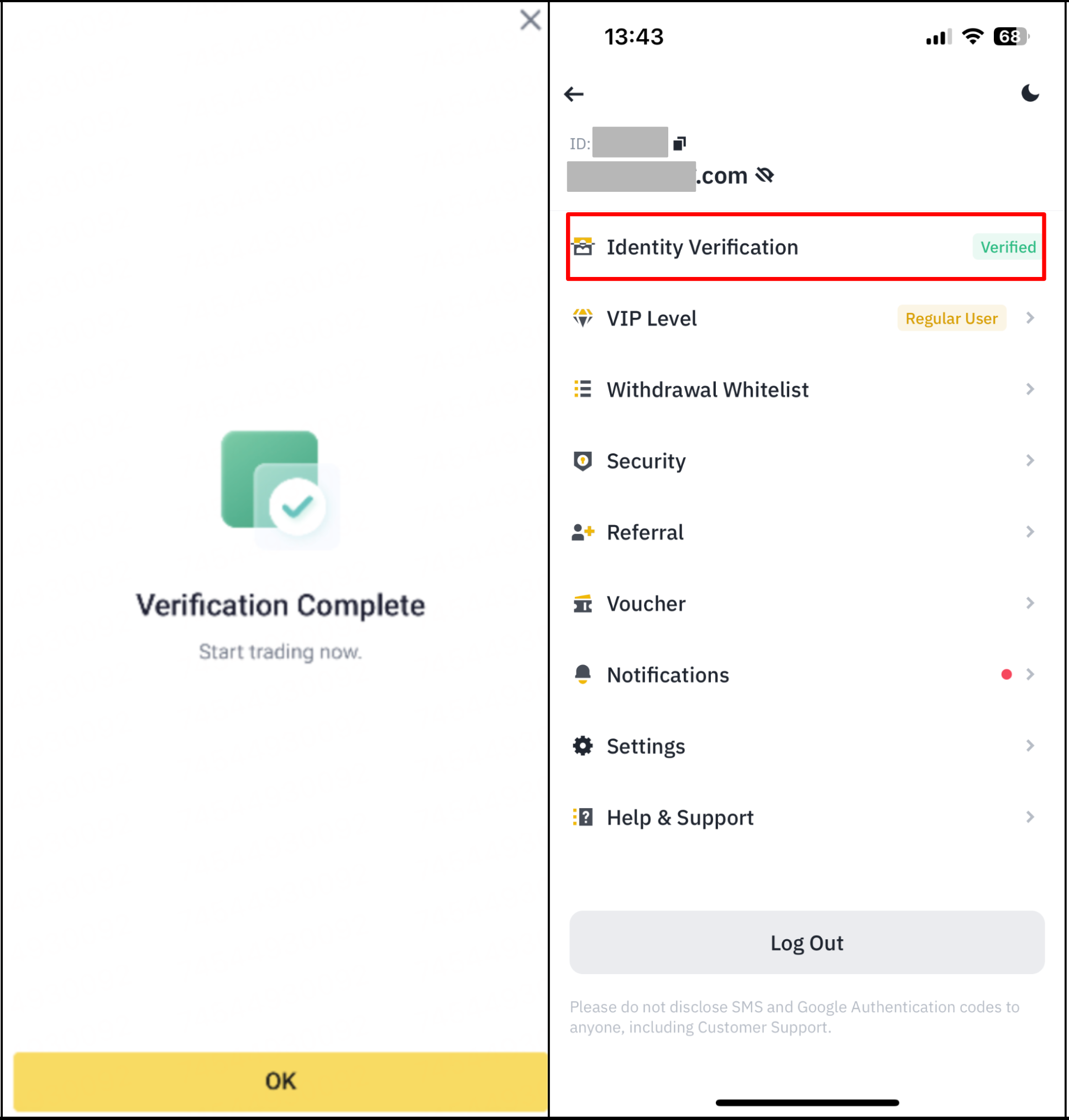
8. Wait for verification: Once you have submitted your application, BINANCE TH will review it and inform you of the verification status. This process typically takes 3-5 days to complete.
9. Start trading: Once your account is verified, you can start trading on BINANCE TH.
In conclusion, completing identity verification on BINANCE TH is a simple process. By submitting the necessary personal information and a government-issued ID document, you can finalize the verification and begin trading on the platform. It is crucial to ensure that all the information and documents you provide are accurate and current to prevent any delays in the verification process.