
How to Withdraw THB on Binance TH

How to Withdraw THB on BINANCE TH Website and App
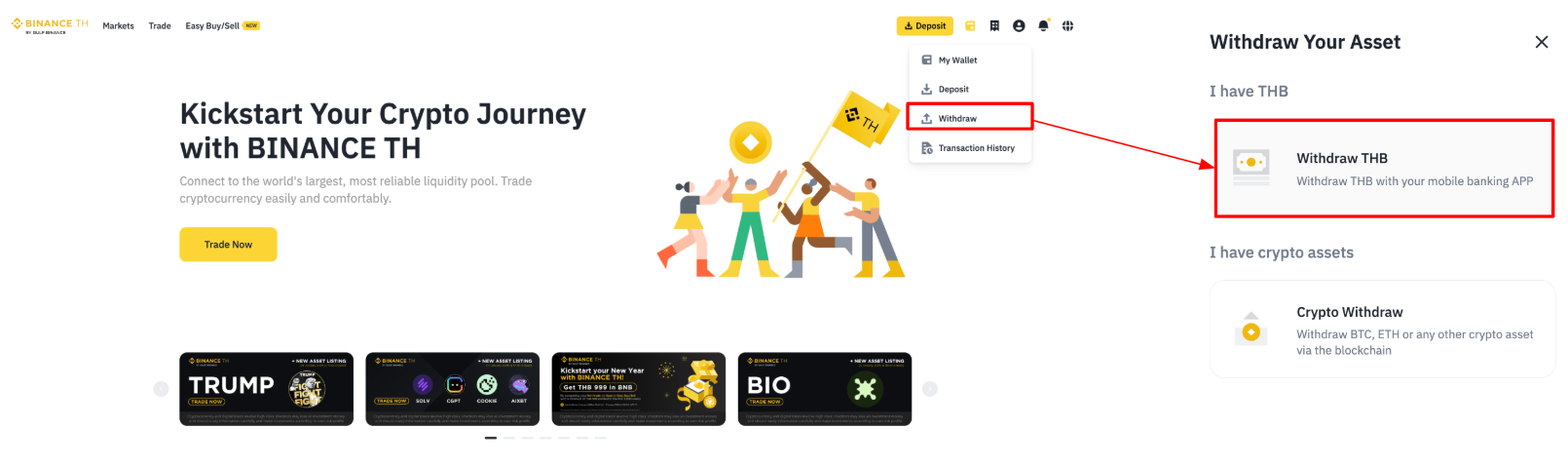
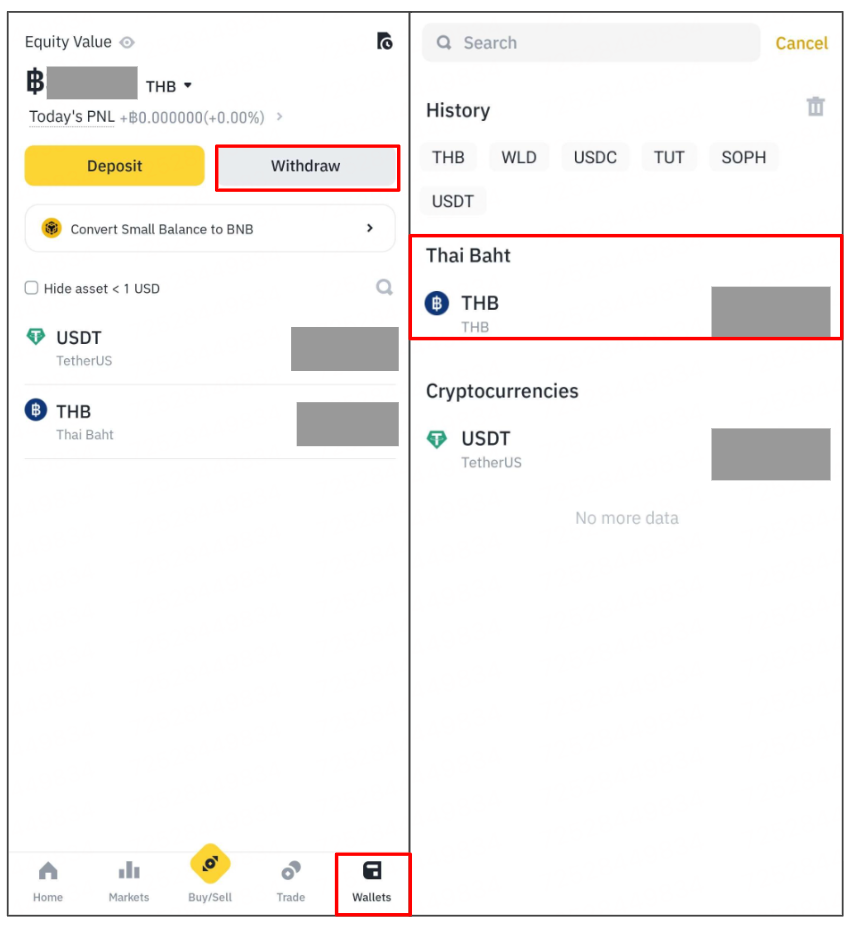
1. Log in to your BINANCE TH account, click [Wallet] - [Withdraw] icon, select [Withdraw THB] on Web or click [Withdrawal] icon, select [THB] on App
On Web
On App
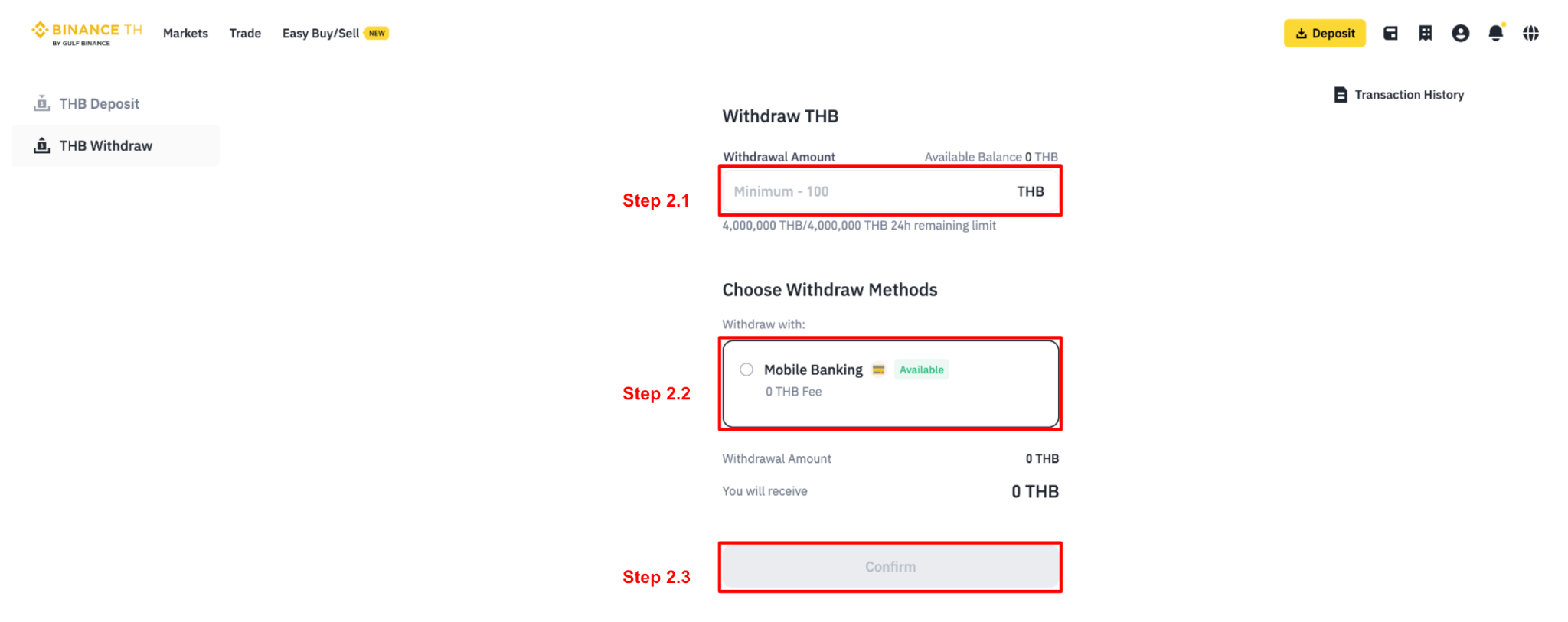
2. Input the amount you wish to withdraw. You may withdraw up to the maximum amount available in your account balance.
2.1 If the amount you wish to withdraw does not exceed 2 million baht per transaction, select the [Mobile Banking] method and click [Confirm].
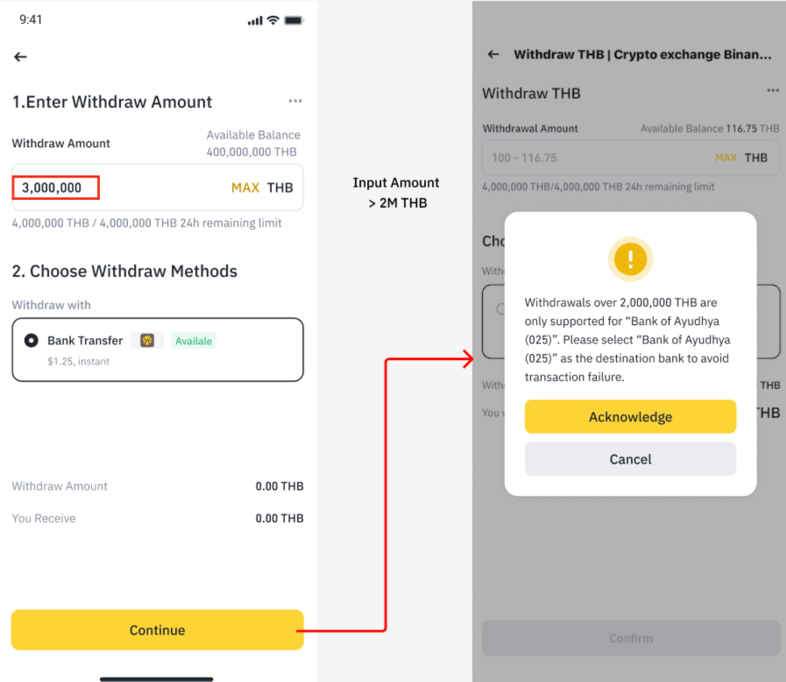
2.2 If you wish to withdraw more than 2 millions baht per transaction, please select [Bank Transfer] as the withdrawal method and click [Continue]. The system will display the terms and conditions message — click [Acknowledge] to proceed.
The bank's withdrawal system supports transactions up to a maximum of two decimal digits. Therefore, if a customer has a balance of 555.555 baht and chooses to withdraw the maximum amount, the system will allow a maximum withdrawal of 555.55 baht. After deducting the withdrawal fee, the customer will receive a net amount of 535.55 baht.
Note: The minimum withdrawal amount is 100 baht per transaction. You can withdraw up to the available balance in your account, with a maximum withdrawal limit of 4,000,000 baht within a 24-hour period. (You can submit a request to increase your daily THB deposit/withdrawal limit here.)
3. Select the recipient bank account by selecting a bank account that you have previously successfully transacted with from the dropdown list or register a new bank account by clicking on [+ Use another account]. Then, click [Confirm].
Note: For withdrawals exceeding 2 million baht per transaction, the receiving bank must be Bank of Ayudhya (025) only. If you have not previously made transactions through Bank of Ayudhya, please add the account before proceeding.
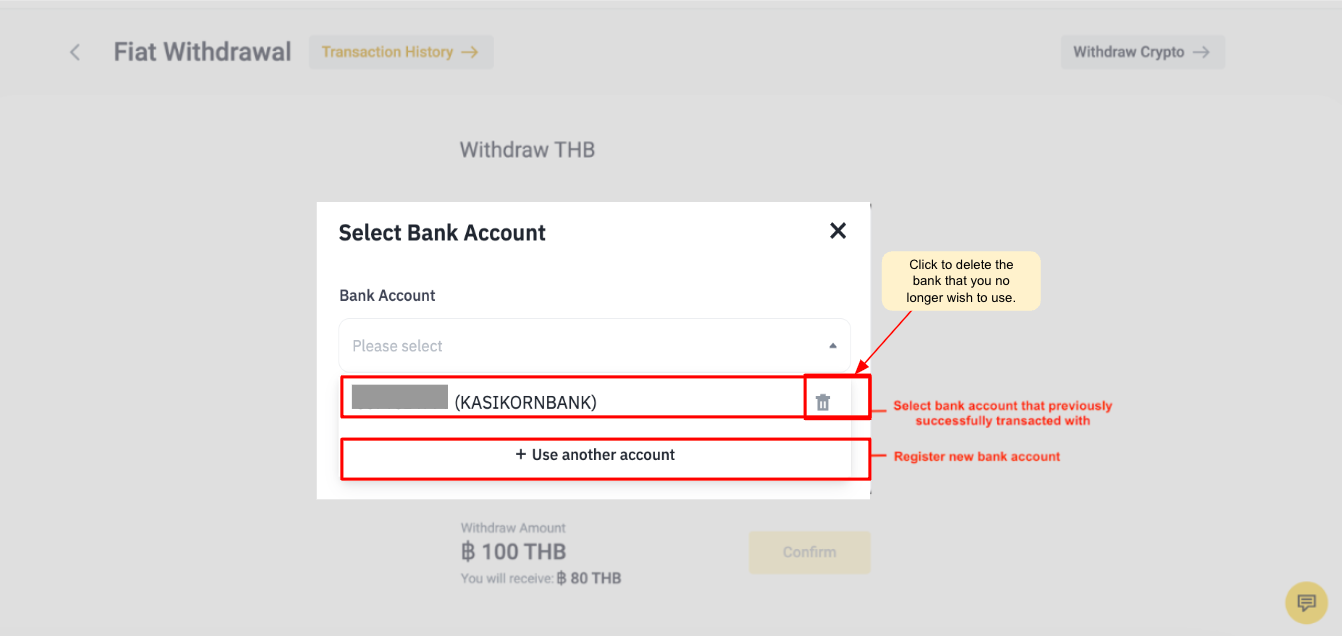
Note: For a successful transfer, the full name on your BINANCE TH account must correspond exactly to the full name on the associated bank account. This ensures withdrawals are credited to your bank account within 1 minute to 24 hours. And in case you want to delete an inactive bank account, you can click [The bin icon]to delete that bank account.
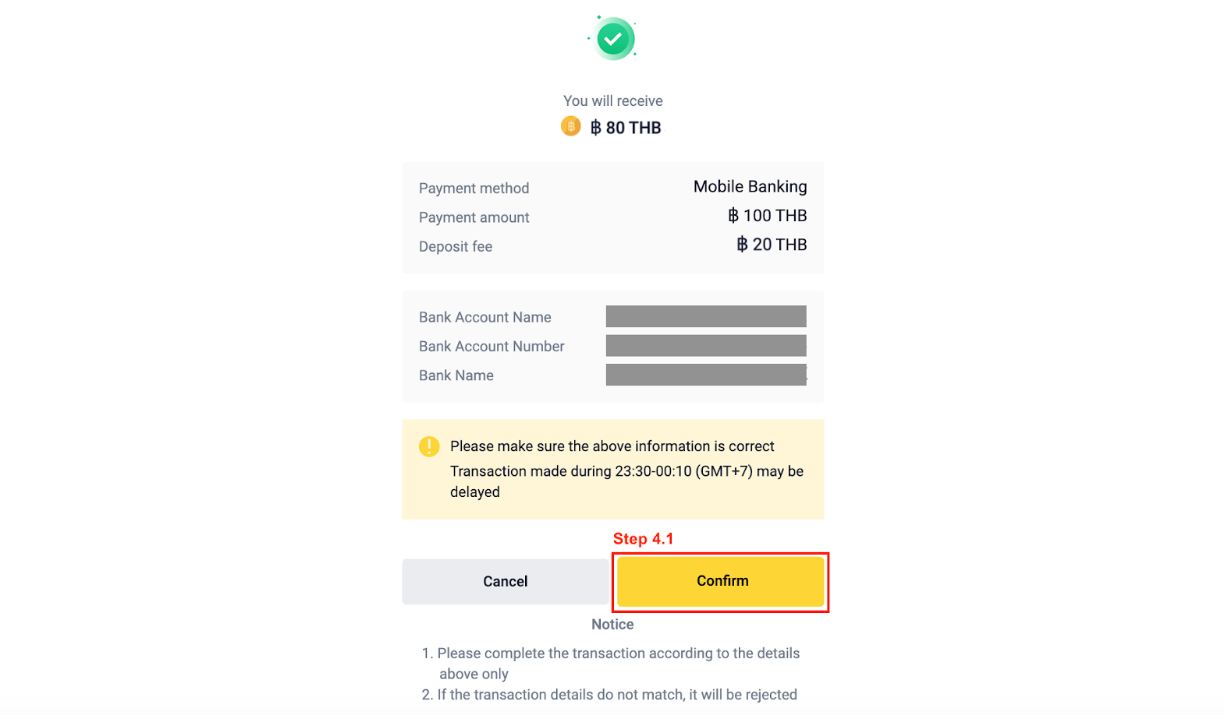
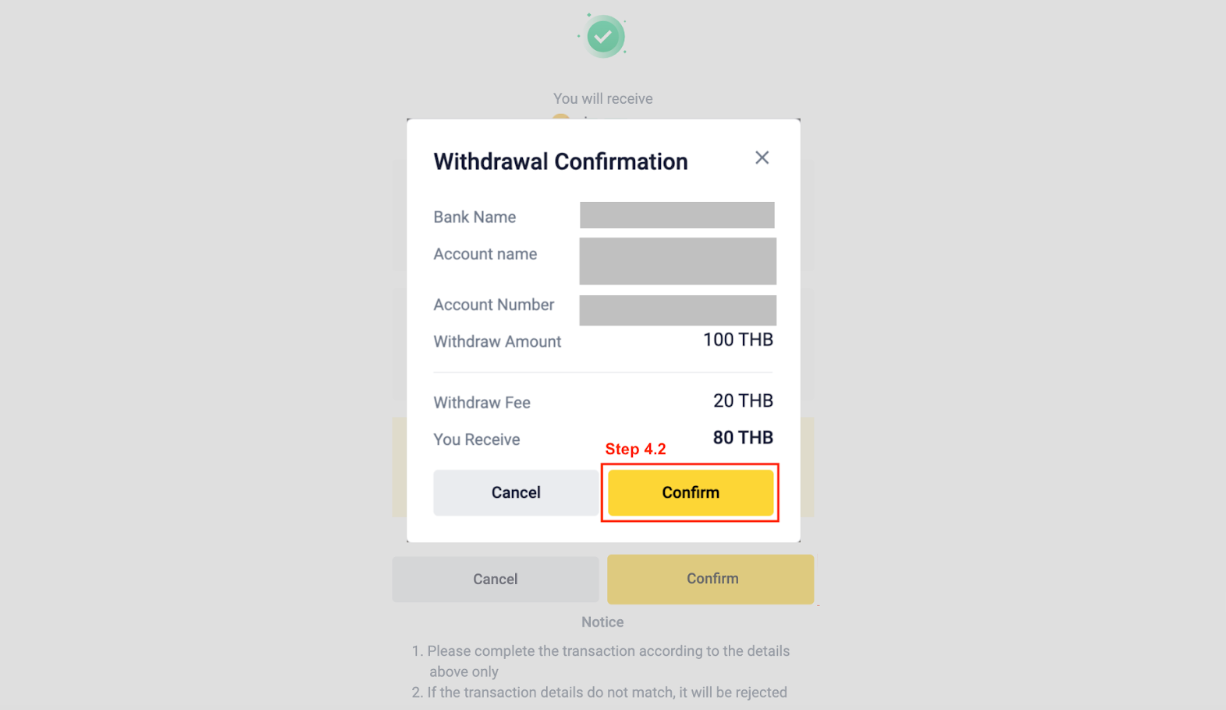
4. Verify the withdrawal amount and bank account details once again. Then, click [Confirm] - [Confirm].
5. Click [Send Code] on all your enabled 2FA verification methods. Input the 6-digit OTPs into each box then click [Submit].
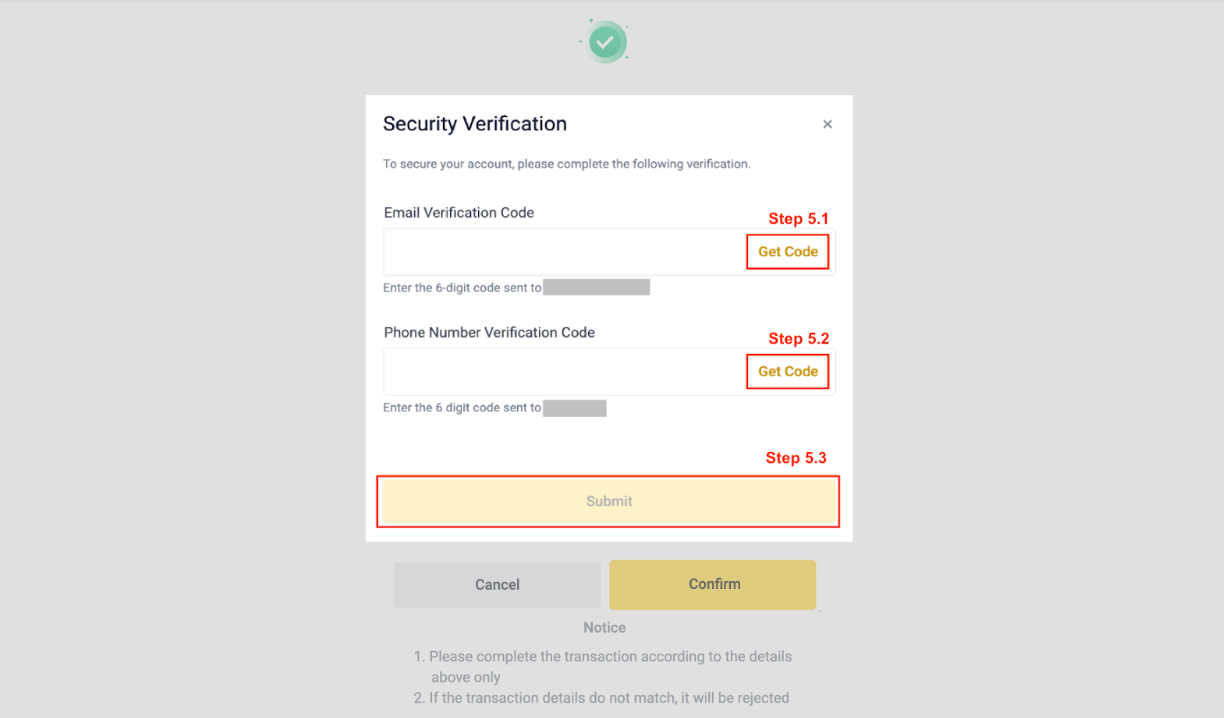
Note: When your 2FA is enabled, the system will prompt you to input a 2FA password with each withdrawal.
Remark:
Please refrain from making any transactions from 11.30PM to 02.00AM. The THB deposit system undergoes routine maintenance.
The fund transfer process might experience delays of up to 3 business days in case of any issues with the payment gateway. If you find yourself in need of assistance, please feel free to reach out to us via LiveChat support.
Withdrawal information, including bank name, bank account number, and bank address name, must match the selected bank account and your withdrawal request in your BINANCE TH account. Transactions with mismatched information are rejected.
Withdrawals exceeding 2,000,000 Baht per transaction through Baht Net transfer are unavailable on weekends and bank holidays per BOT announcement.