How to Set Up Service Icon Shortcuts on Binance TH Application?

The Homepage Shortcut feature allows you to customize the shortcuts displayed on your Binance TH homepage, giving you quick access to the services you use the most frequently.
How to customize the service icons on your homepage or Account Center?
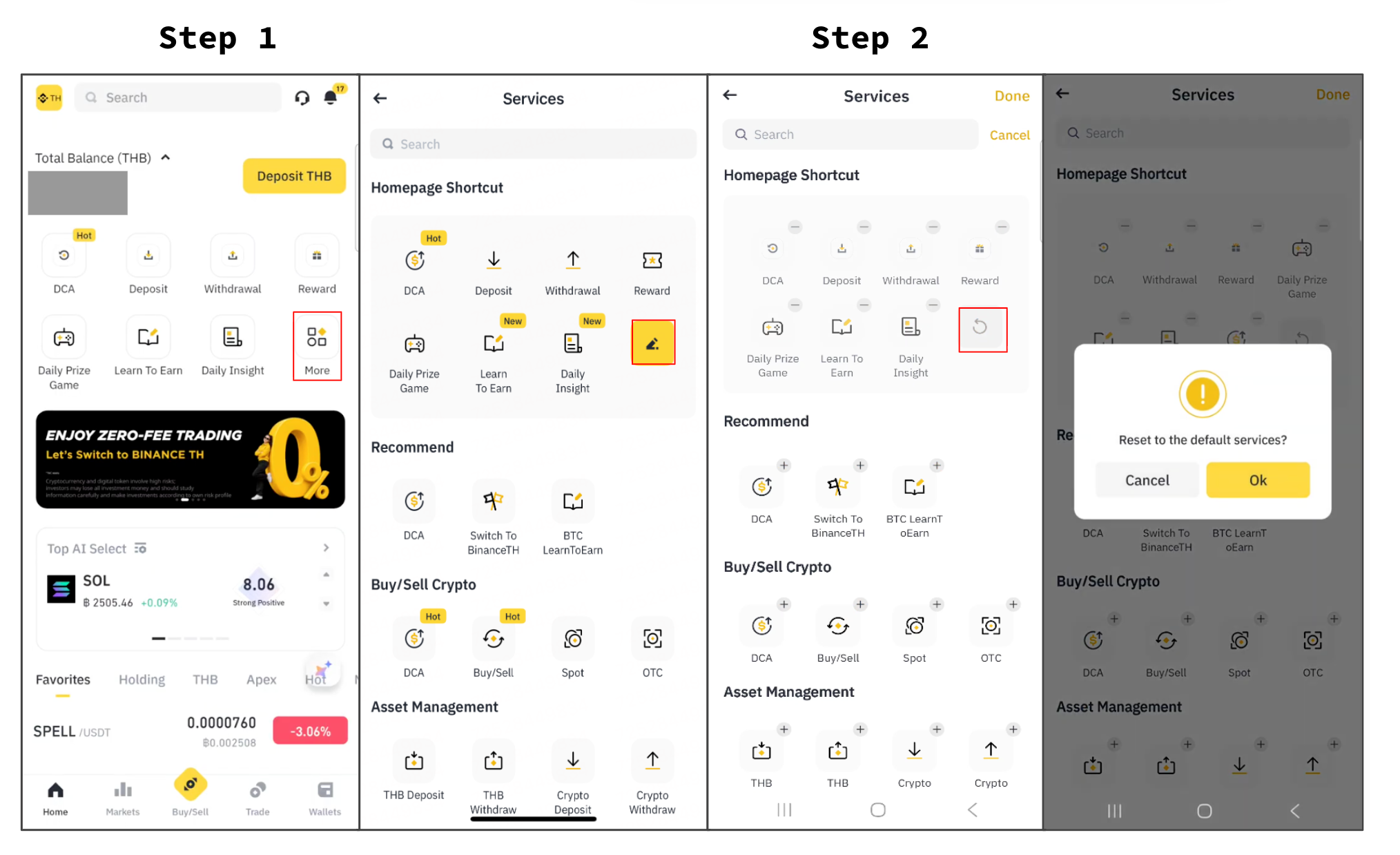
Step 1: Access your shortcuts
On the homepage, you'll see 7 shortcut icons for different Binance TH services. Tap [More] to view more services and customize your shortcuts.
Step 2: Customize your shortcuts
Tap the [Edit] (pen) icon to start customizing your Homepage Shortcuts.
Browse the available categories and select the services you would like to display. You can add up to 7 shortcuts in total.
Tap [+] to add an icon.
Tap [-] to remove an icon.
Tap [Reset] to restore the default shortcuts.
When finished, tap [Done] in the top-right corner to save your changes.
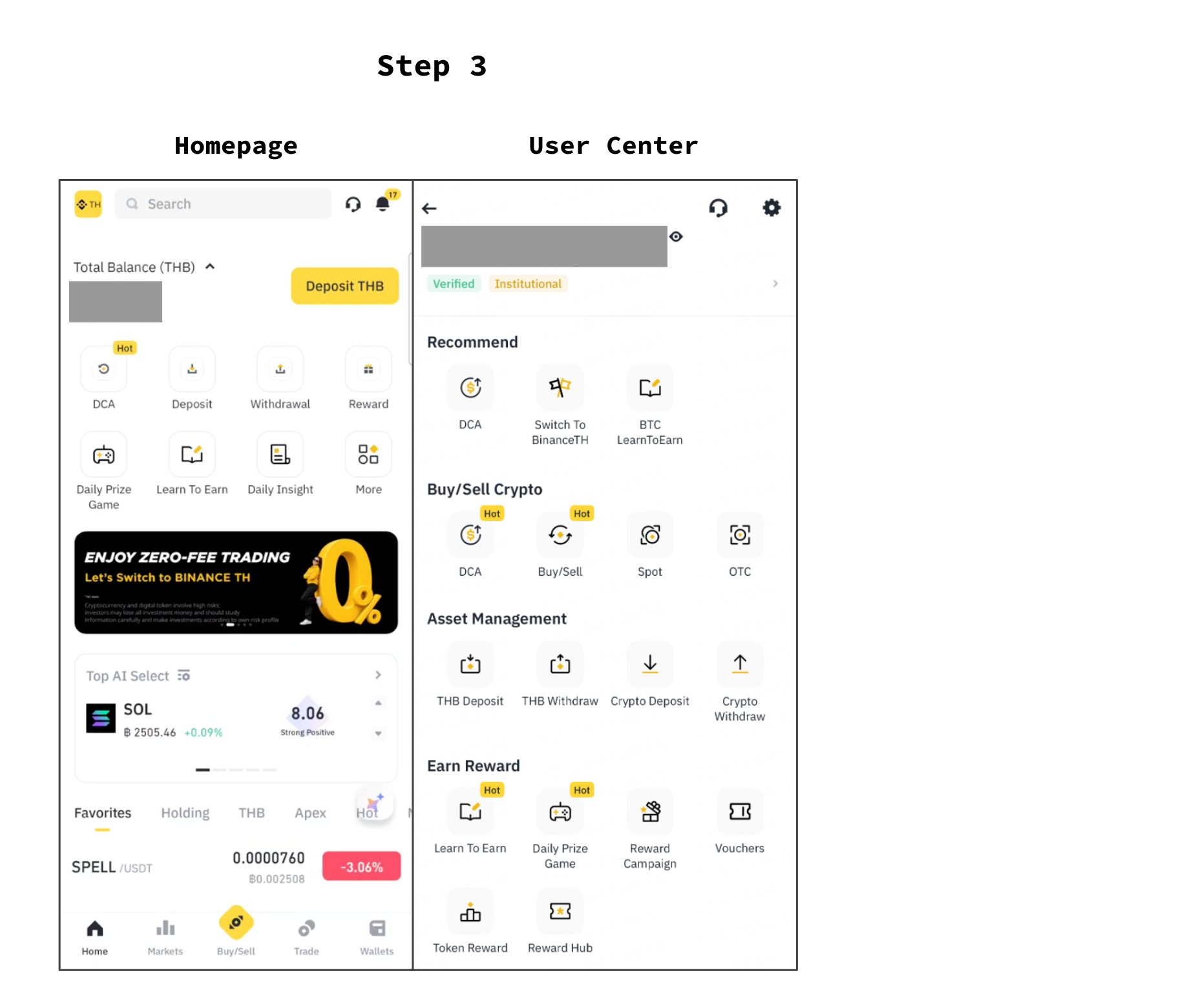
Step 3: How to check and see all available services on Binance TH
Once saved, your selected shortcut icons will now appear on your Homepage and at the top-left corner of your Account Center.
You can update your Homepage Shortcuts anytime by following the same steps above.