Connecting Binance Wallet to Binance TH: Buy, Sell & Transfer Guide

Connecting your wallet to a Binance.com account with a BINANCE TH account enables seamless fiat-to-crypto transactions by leveraging BINANCE TH as a regulated payment channel. This integration allows users in Thailand to easily buy and sell cryptocurrencies using Thai Baht (THB). By linking the two accounts, users can simplify their transactions, making the process faster and more efficient.
On website
How to connect Binance wallet with Binance TH wallet
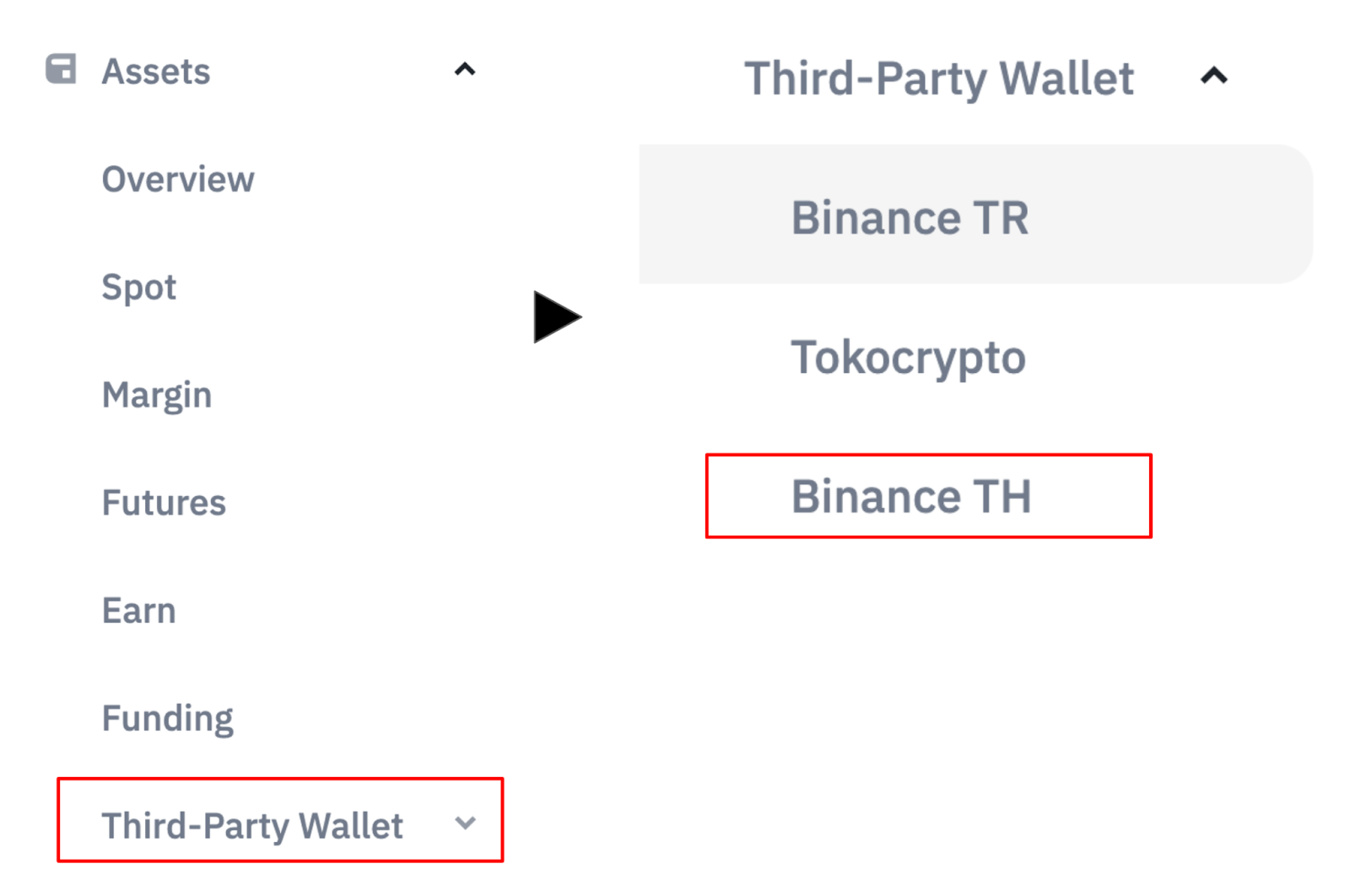
Login to Binance account, go to [profile] - [Third-party Account] and choose [Binance TH]
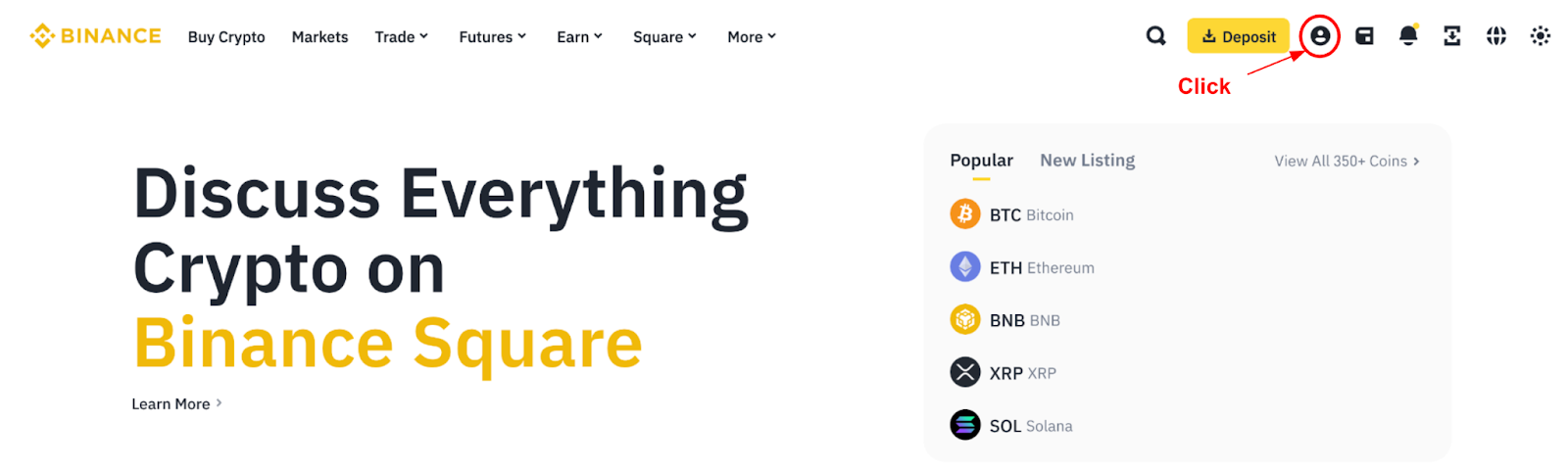
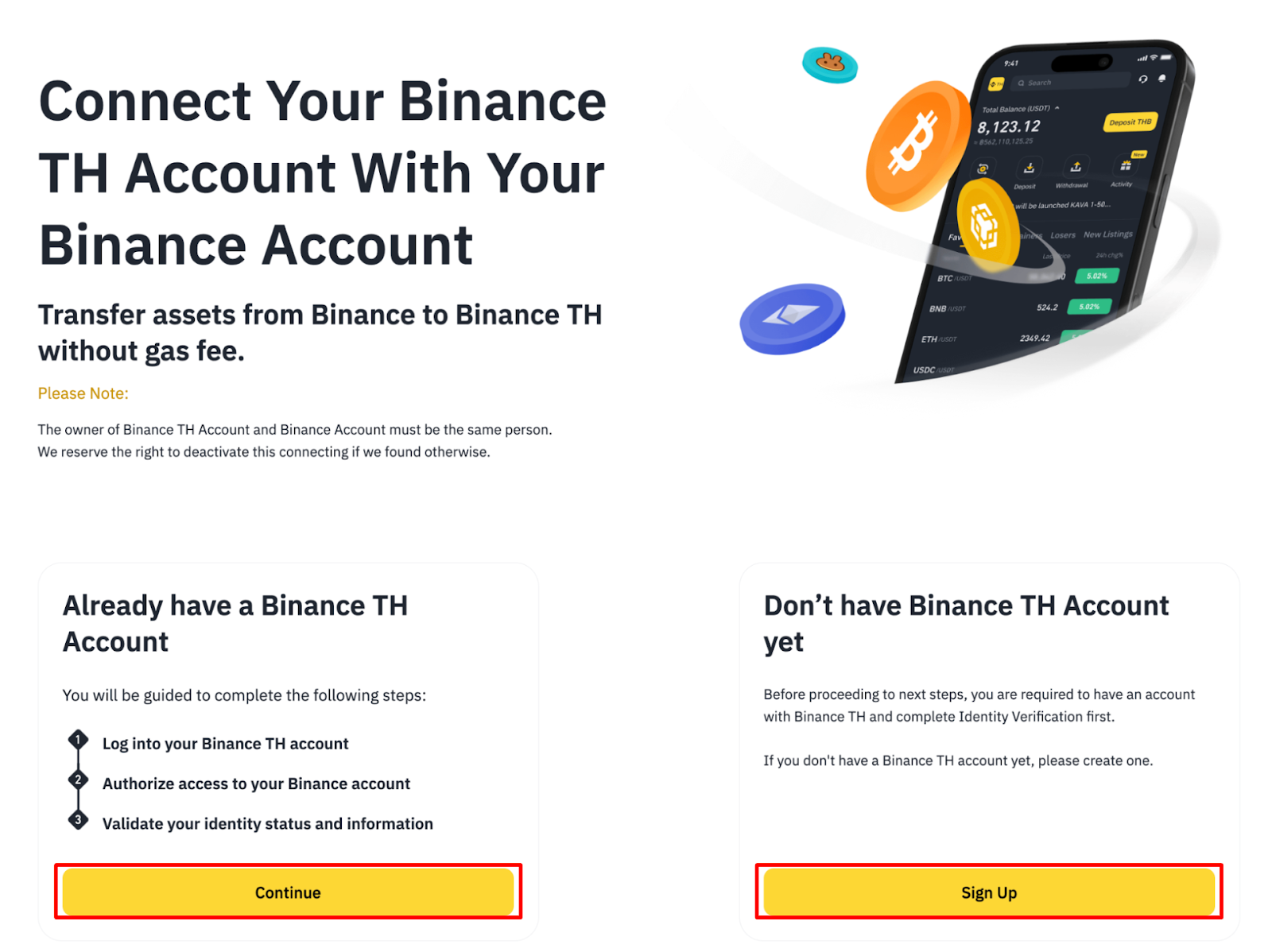
To connect Binance TH account, click [Connect Binance TH] button on the pop up message
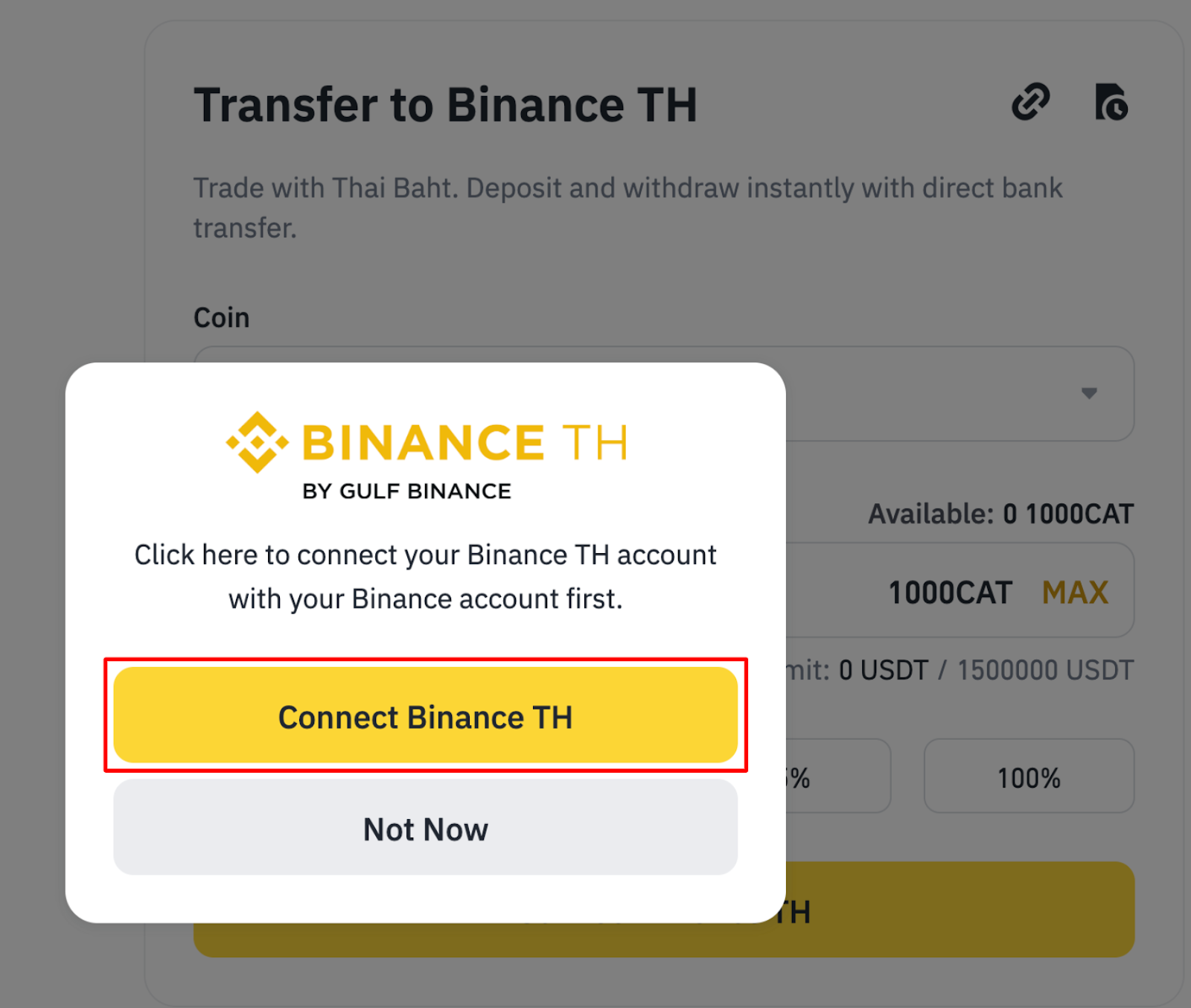
Click [Continue] on the left message box if you already have a Binance TH account, please sign up for Binance TH before proceeding to the next step.
Note: The owner of the Binance TH account and the Binance account must be the same person. We reserve the right to deactivate this connection if we find otherwise.
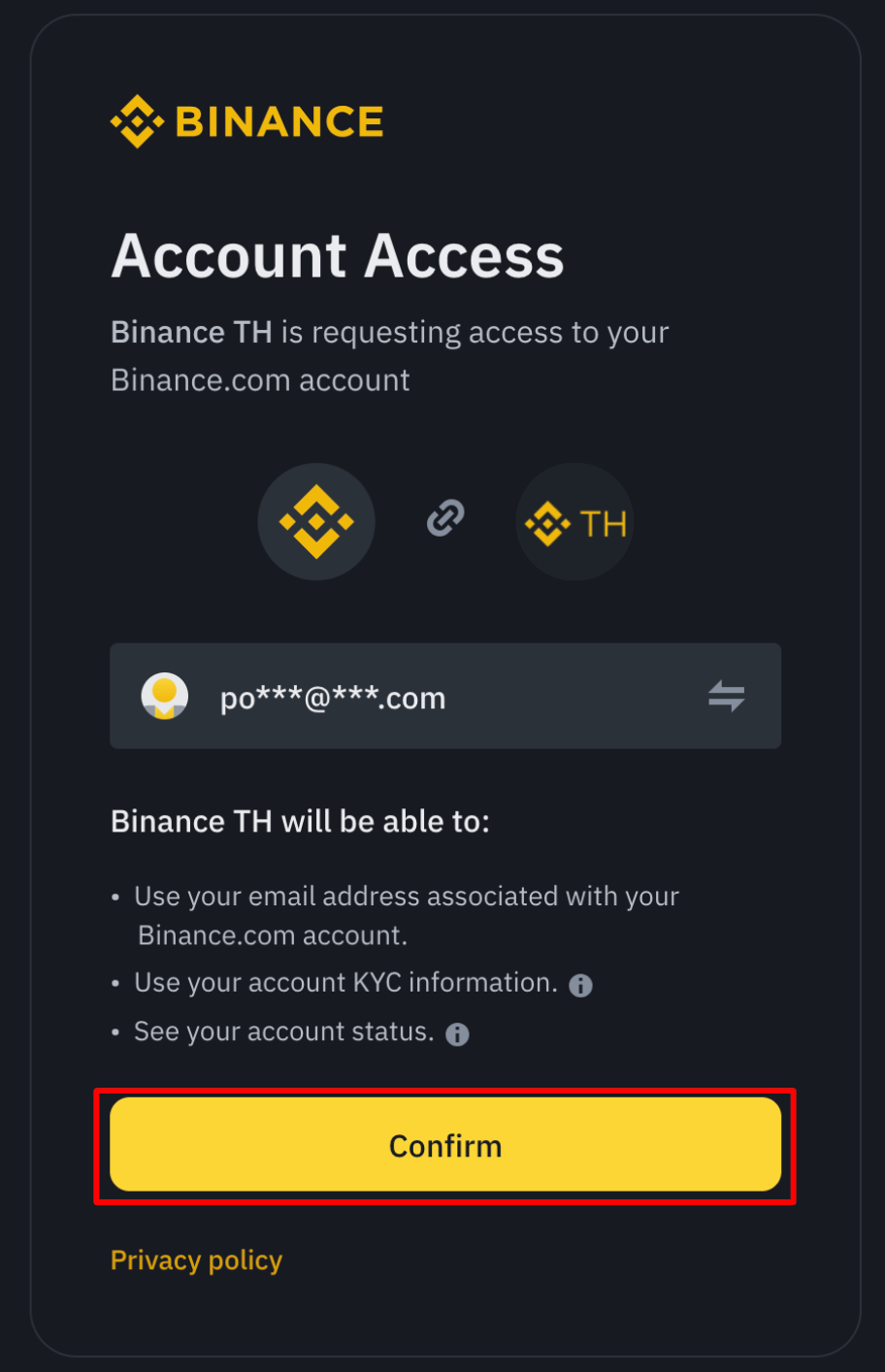
Click [Confirm] to connect Binance TH account with Binance account on the authorization page and enter the verification code or passkey that you bonded with Binance Account
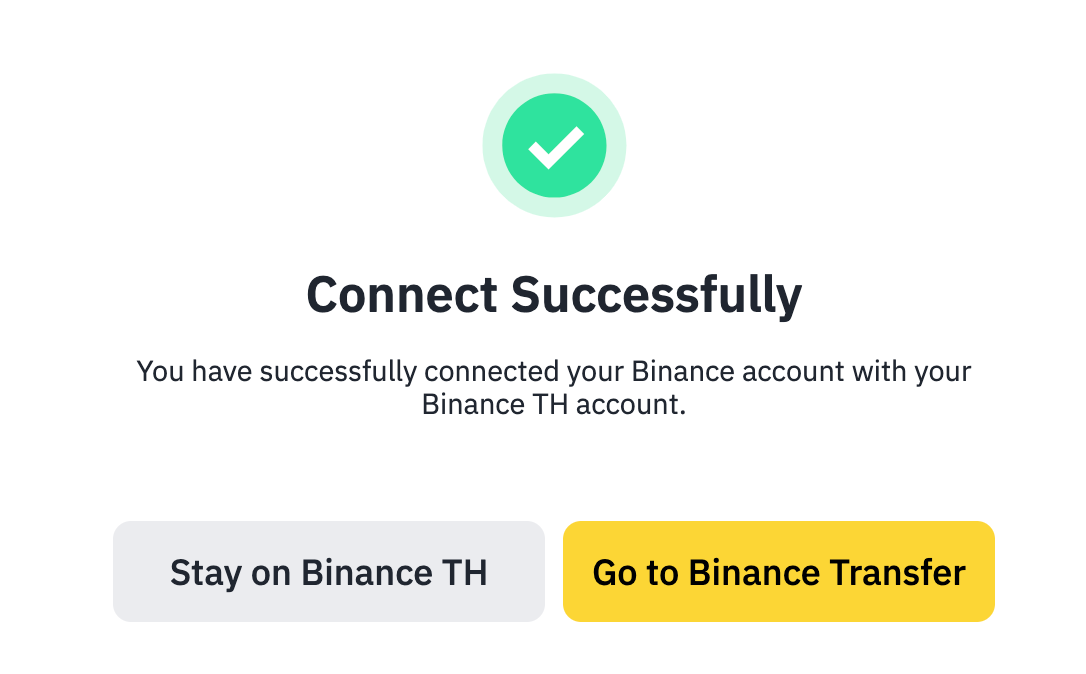
Connect successfully. You can stay on Binance TH or go to Binance Transfer.
How to transfer asset to Binance TH
Go to your Binance account, then navigate to [Profile] - [Assets], and click on [Third-Party Wallet]. From there, select [Binance TH].
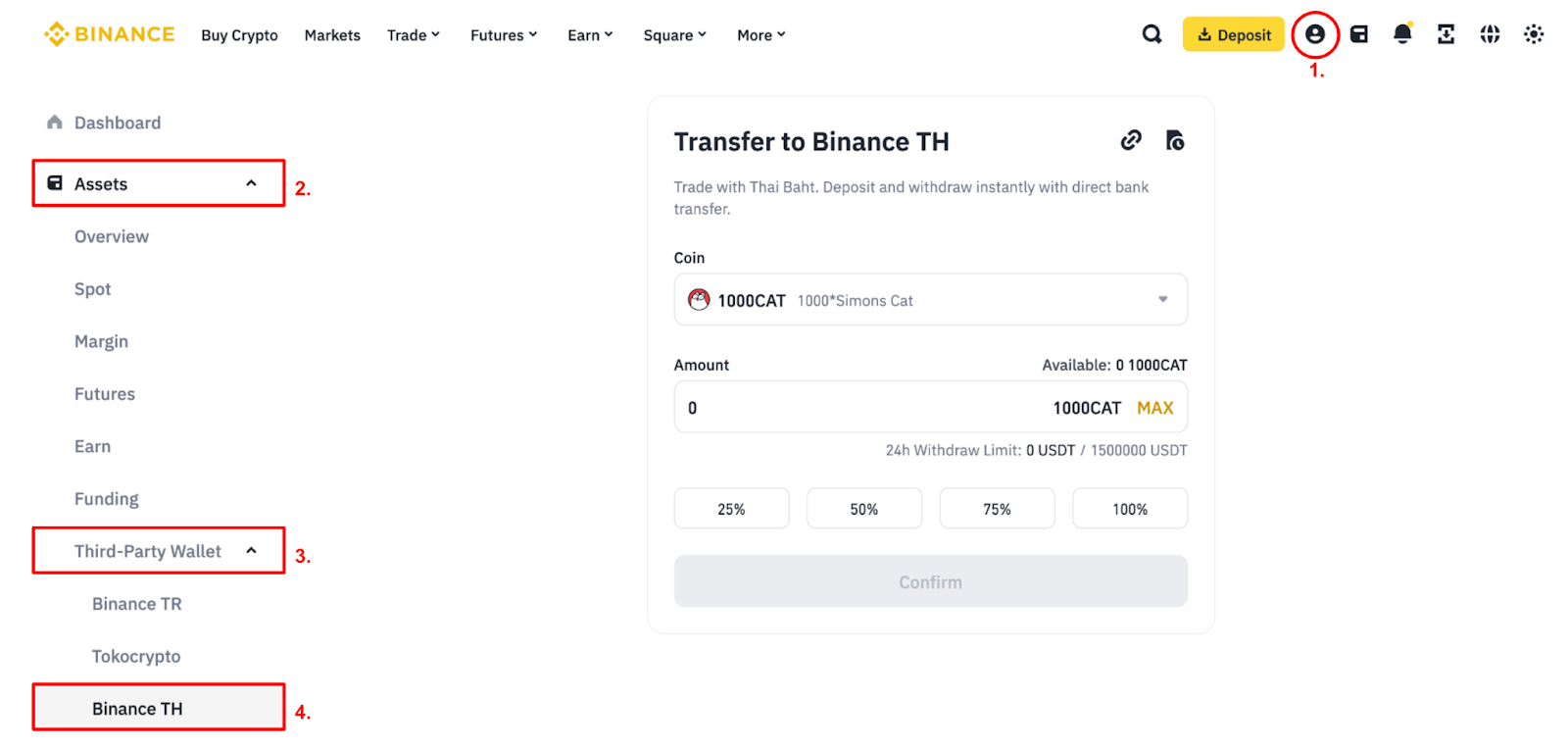
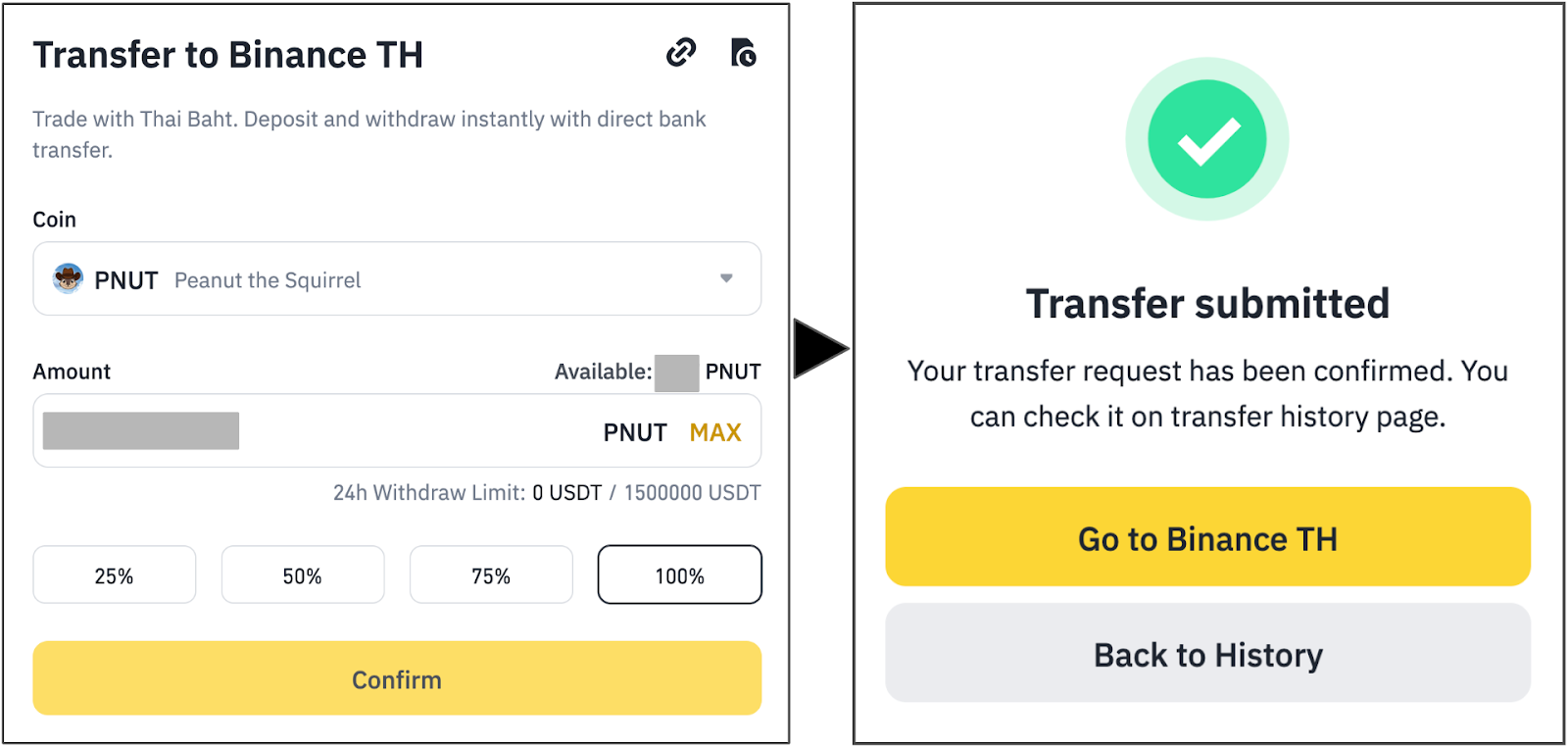
Select the coin and enter the amount you wish to transfer to Binance TH. Then enter code or passkey that you bonded with Binance account to confirm the transaction
Note: Please ensure that the coin you wish to transfer is supported on the Binance TH platform.
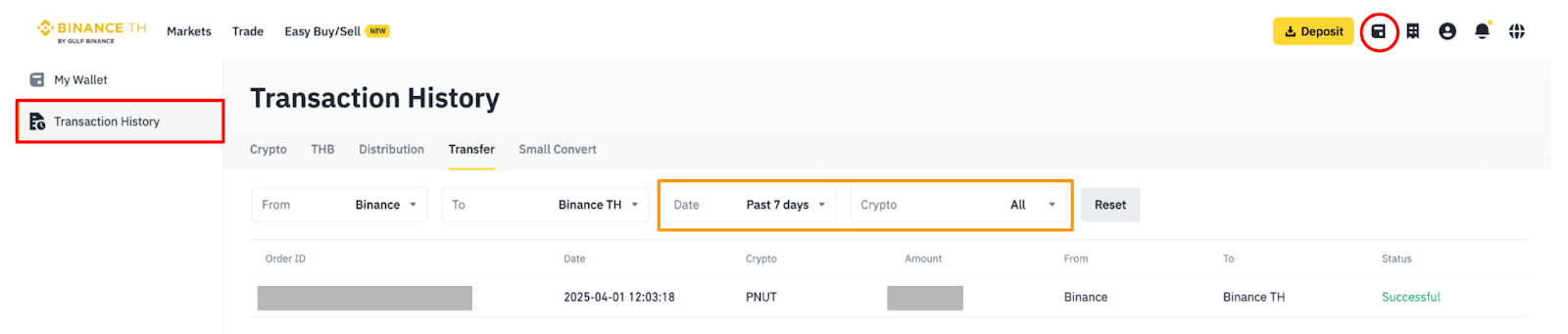
To check your transfer history, go to Binance TH and click on [Transaction History] - [Transfer]. You can filter the records by date and cryptocurrency name.
How to Buy Cryptocurrency
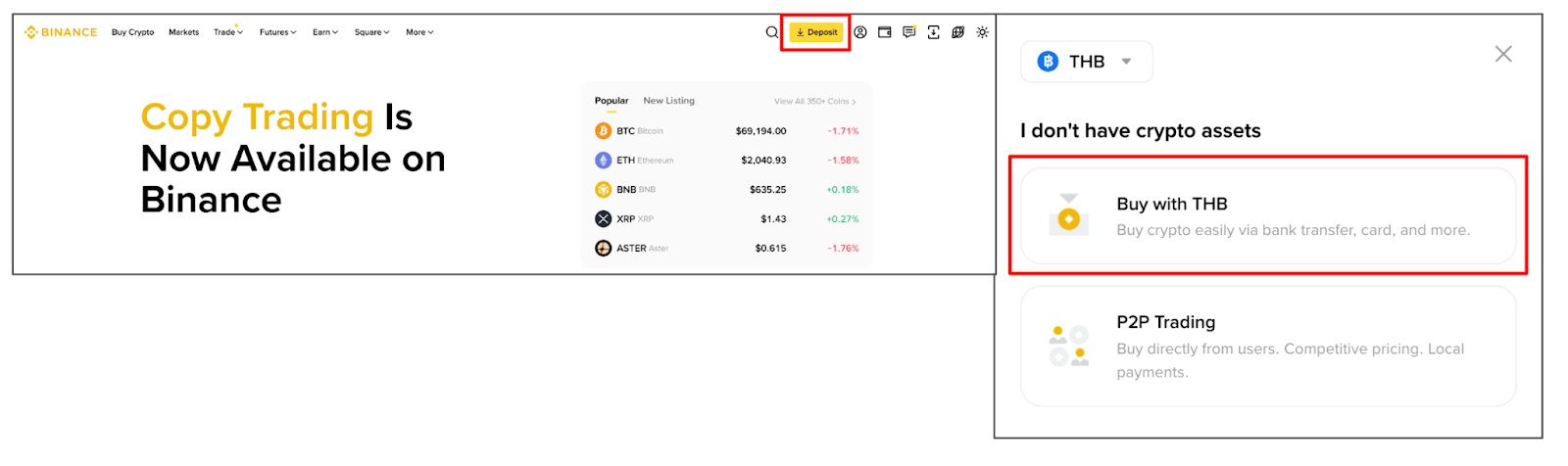
After logging into your Binance account, go to [Deposit] > [Buy with THBl]. When the pop-up notice appears, click [Go to Binance TH]. You will then be redirected to the “Redirected to Binance TH” page. Please check the box to accept the terms and conditions before continuing with your transaction.
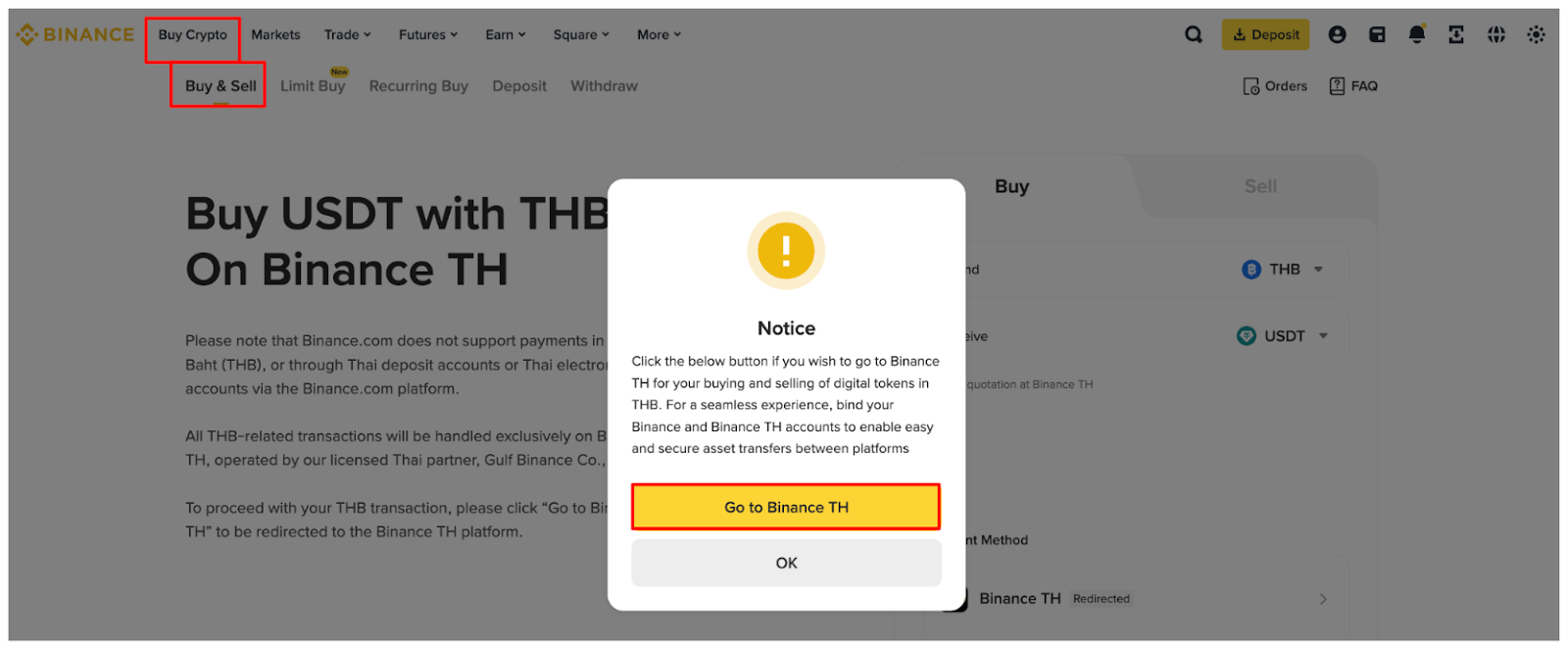
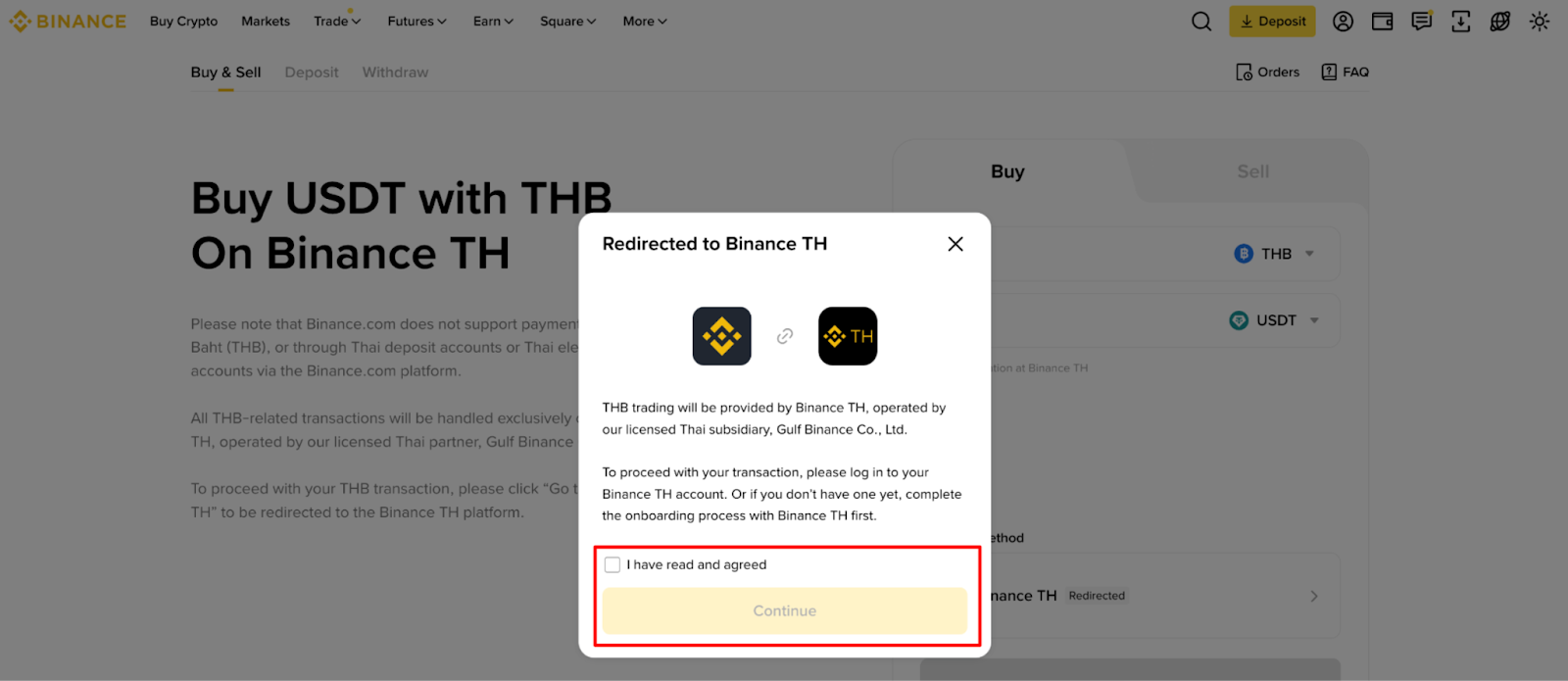
Note : Make sure you are logged into your Binance TH account. If you don’t have one, please complete the Binance TH onboarding process first.
The system will redirect you to your Binance TH account. Then, click the Easy Buy/Sell menu to proceed with purchasing cryptocurrency. For detailed step-by-step instructions, please refer to the article How-To Use Easy Buy/Sell on Binance TH
How to Sell Cryptocurrency
After logging into your Binance.com account, go to [Deposit - Buy with THB] > [Sell]. When the pop-up notice appears, click [Transfer to Binance TH].
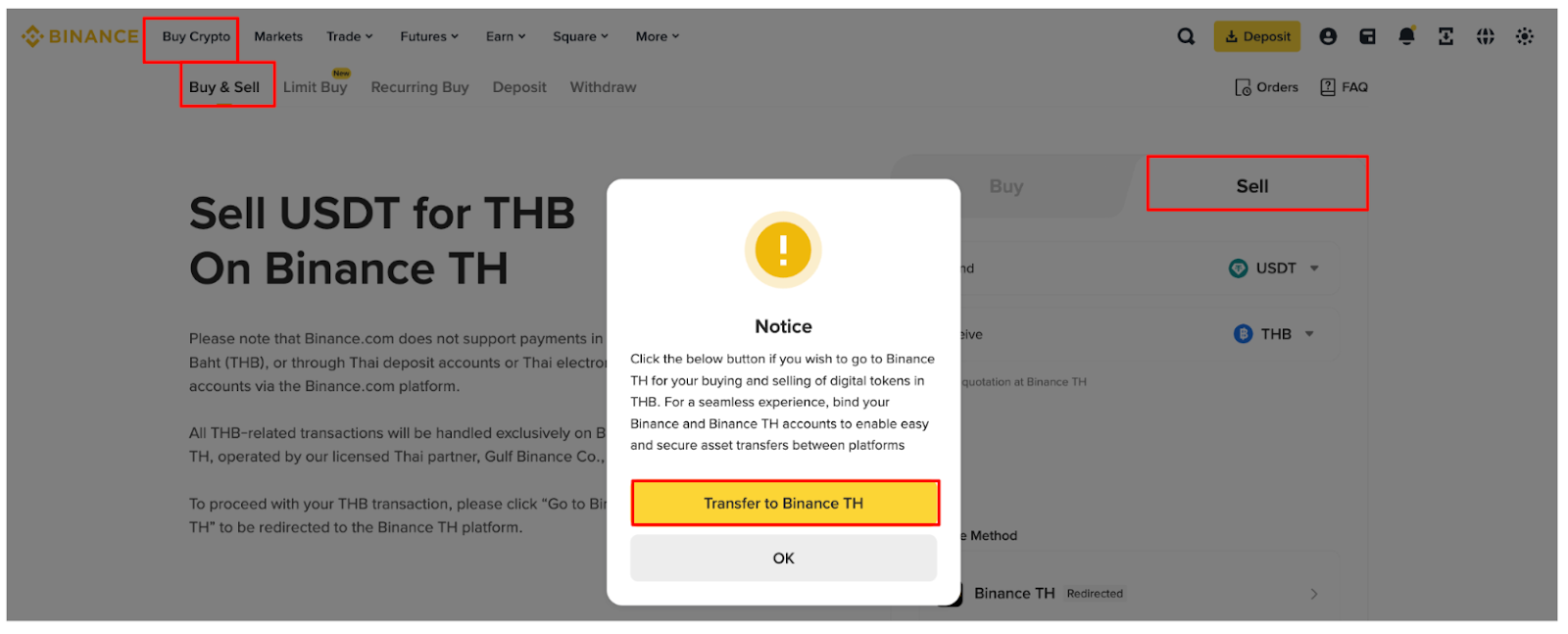
Note : Make sure you are logged into your Binance TH account. If you don’t have one, please complete the Binance TH onboarding process first.
Please follow the topic : How to Transfer Assets to Binance TH guide for easy steps.
On Application
How to connect Binance wallet with Binance TH wallet
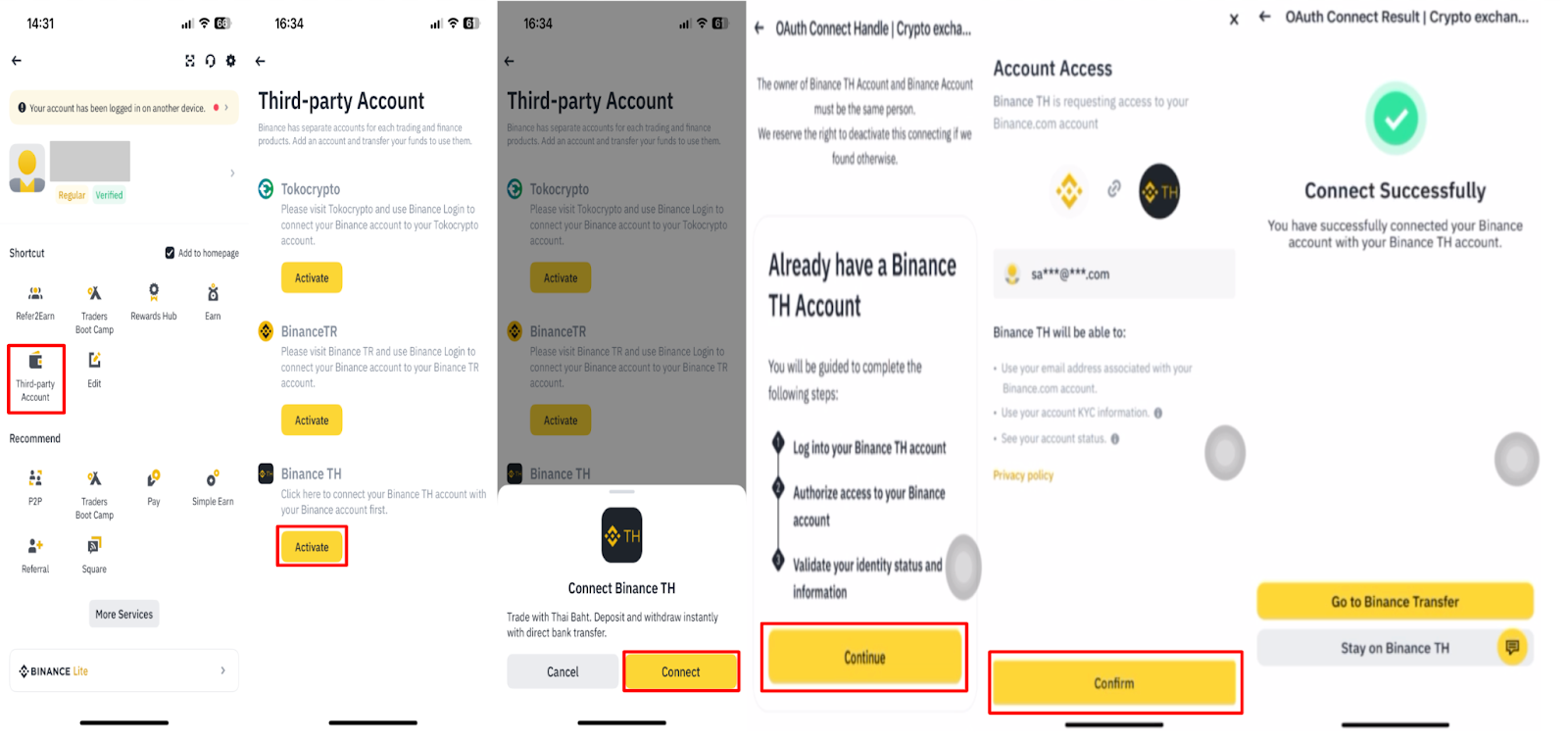
After logging into your Binance account, go to [Profile] - [Third-party Account] and click [Activate] Binance TH.
Click [Connect Binance TH], then select [Continue] if you already have a Binance TH account. (If you do not have an account yet, please register before proceeding.)
Click [Confirm] on the authorization page and enter your 2FA verification code or Passkey linked to your Binance account. Once the connection is successful, you can access your Binance TH account or navigate to Binance Transfer.
How to transfer asset by Binance Transfer
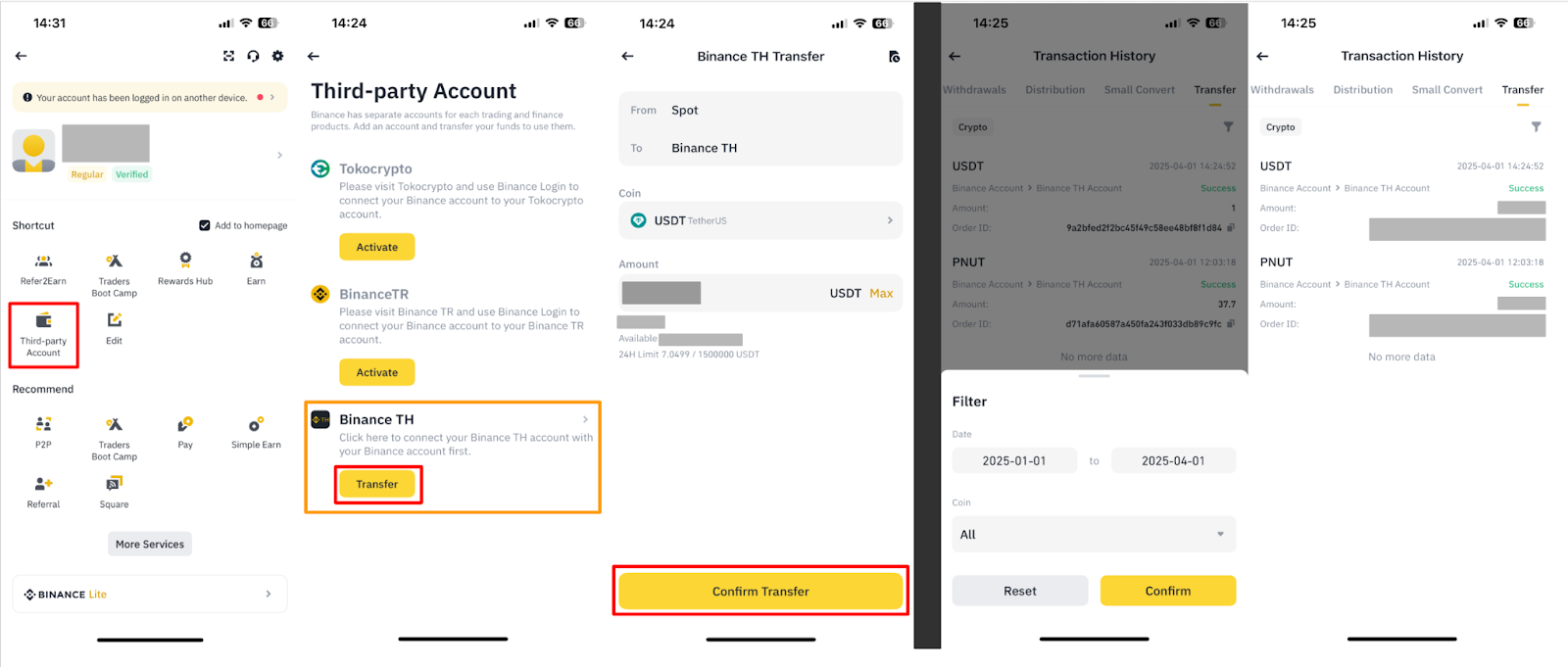
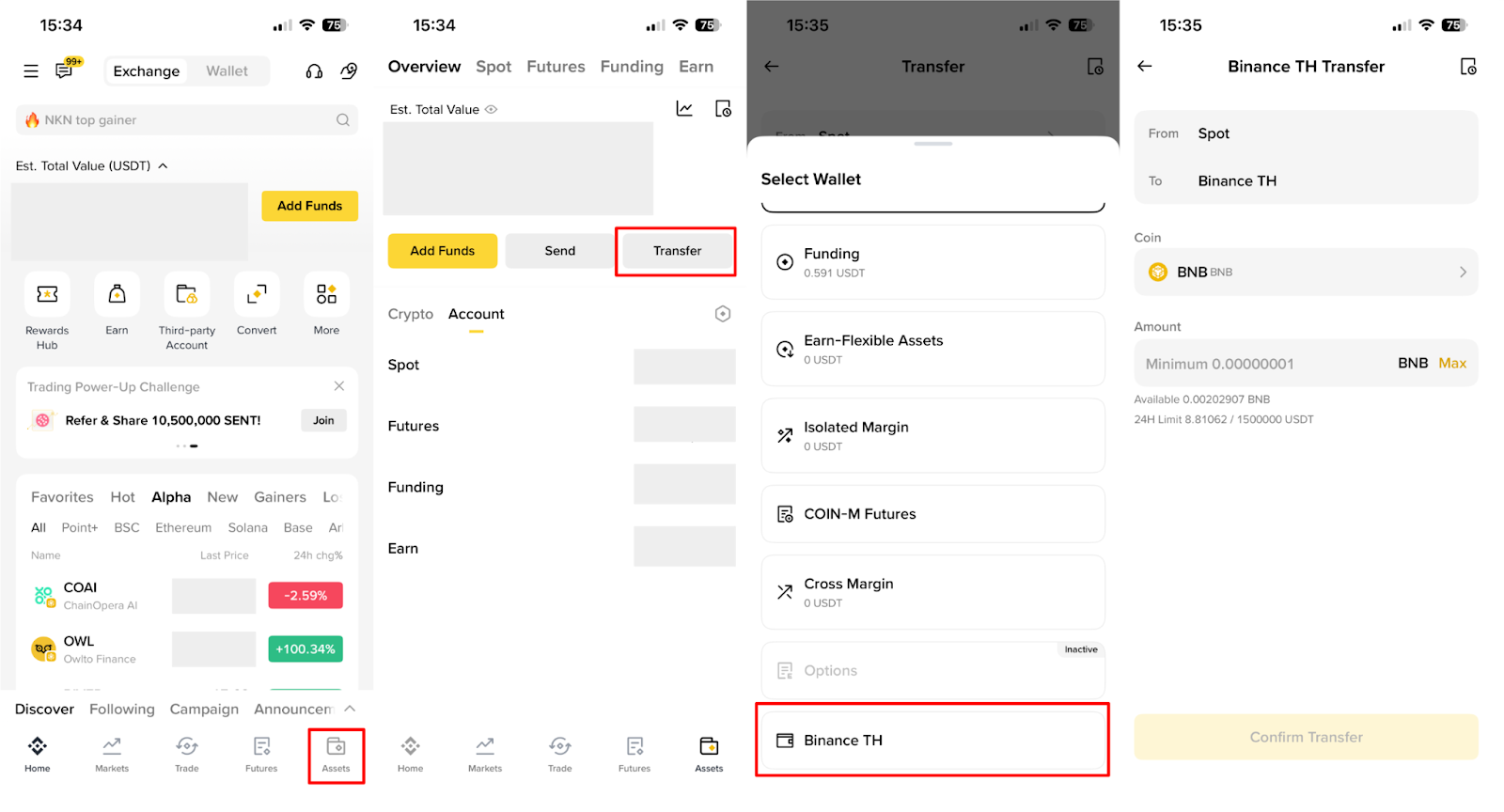
Go to your Binance account, then navigate to [Profile], and click on [Third-Party Wallet] menu or go to menu [Assets]-[Transfer]. From there, select [Transfer] on Binance TH.
Select the coin and enter the amount you wish to transfer to Binance TH. Then enter code or passkey that you bonded with Binance account to confirm the transaction
Note: Please ensure that the coin you wish to transfer is supported on the Binance TH platform.
To check the transfer history, go to Binance TH and click on [Transaction History] - [Transfer]. You can filter by date and cryptocurrency name.
How to Buy Cryptocurrency
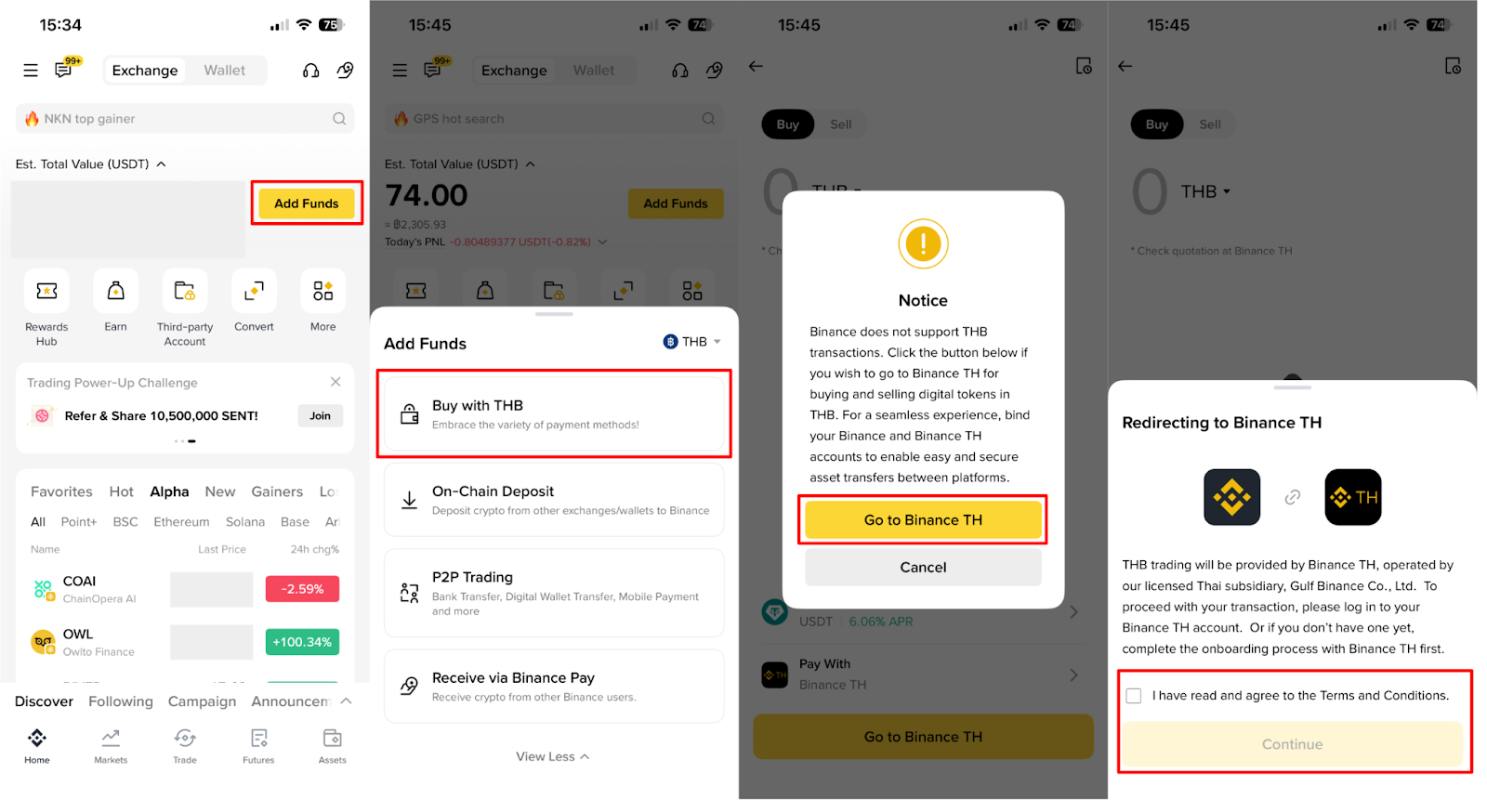
After logging into your Binance account, click [Add Funds] on the homepage, then select [Buy with THB].
A pop-up message will appear. Click [Go to Binance TH], and you will see the “Redirecting to Binance TH” window. Please accept the terms and conditions to proceed with your transaction.
The system will redirect you to your Binance TH account. Then, click the Easy Buy/Sell menu to proceed with purchasing cryptocurrency. For detailed step-by-step instructions, please refer to the article How-To Use Easy Buy/Sell on Binance TH
How to Sell Cryptocurrency
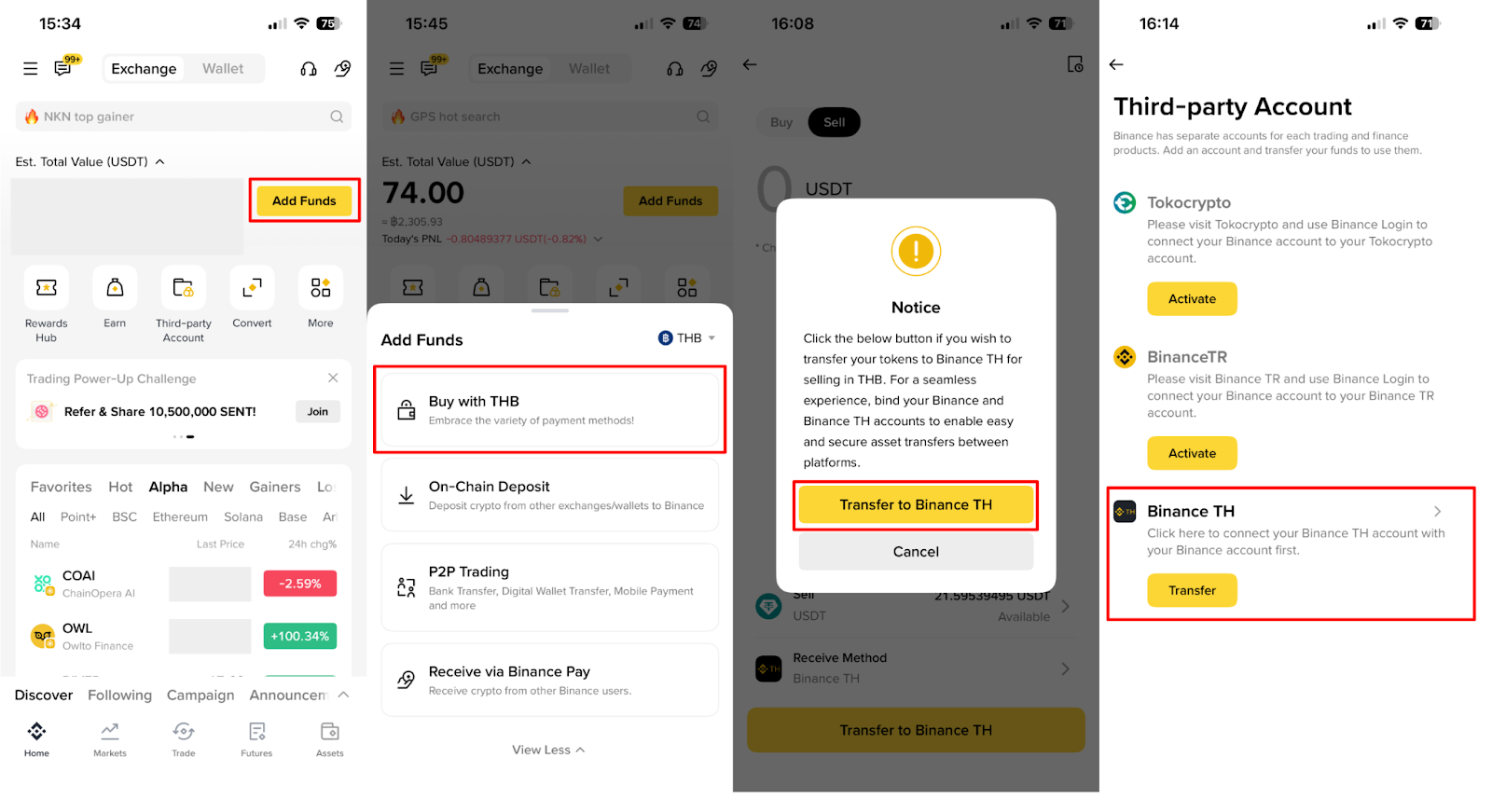
After logging into your Binance account, click [Add Funds] on the homepage and then choose [Buy with THB]
Click [Sell] and select the cryptocurrency you wish to sell. Then, click [Transfer to Binance TH].
Note : Make sure you are logged into your Binance TH account. If you don’t have one, please complete the Binance TH onboarding process first.The system will take you to the Third-party Account menu. Please follow the instructions in the section: How to transfer asset by Binance Transfer
How to disconnect Binance wallet with Binance TH wallet
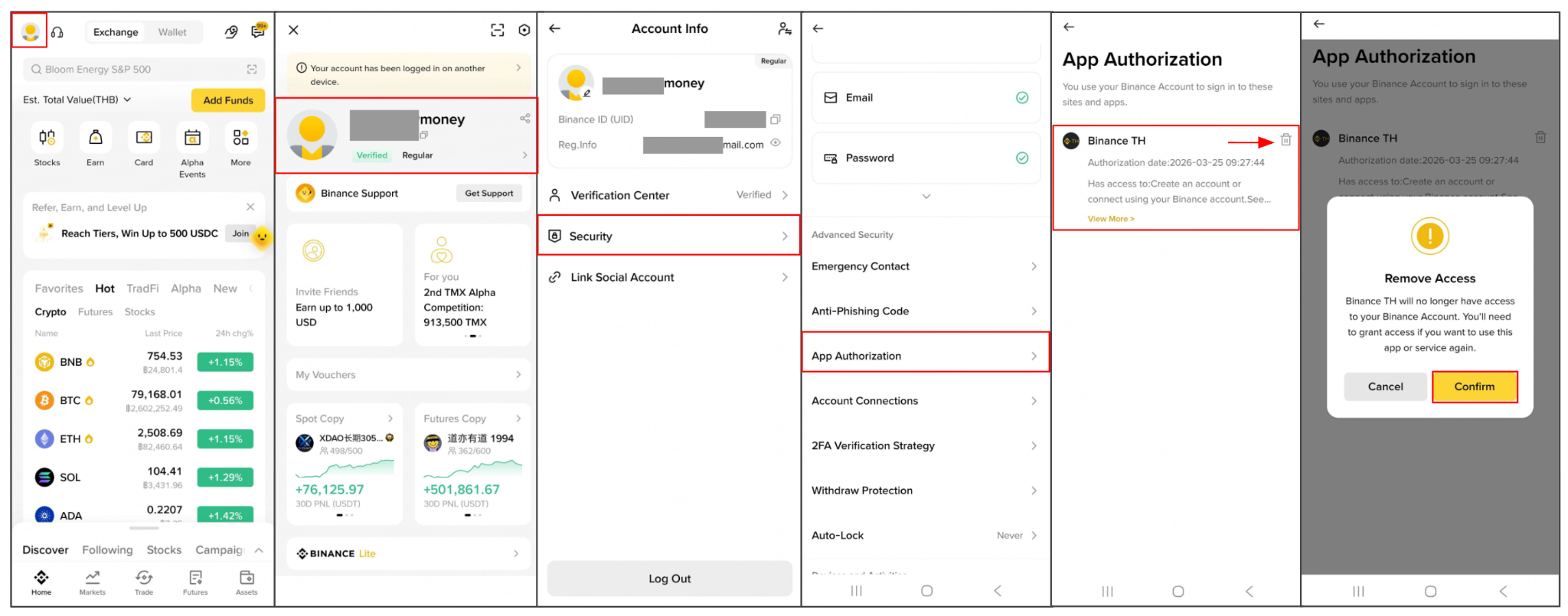
Log in to your Binance account. Go to [Profile] → [Account], then click the dropdown menu on the right-hand side and select [Security].
Scroll down to the Advanced Security section under [App Authorization] You will see a list of connected apps. If your Binance TH account is linked, it will appear here. Click the trash icon next to Binance TH to disconnect it.
A prompt will appear [Remove Access], then select [Confirm] to complete the process.
Note:
Once disconnected, Binance TH will no longer have access to your Binance account. You will need to grant permission again if you wish to use the service in the future.